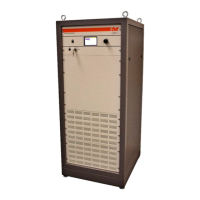
Model 25A250B
Rev A 23
4.3.5 Amplifier Faults (Schematic Diagram Nos. 10042820 and
10040606)
1. The fault output the A1 RF module is sensed on A4, J13, pin 9.
2. The Amplifier Fault LED (DS2) should be lit, indicating a module failure.
3. Verify the correct voltages to the modules. Troubleshoot any incorrect voltages.
C50 = +28 ± 0.2V
C51 = –120 ± 0.2V
4.3.6 Low or No Power Output (DC Tests) (Schematic Diagram No.
10042820, 10040606)
All indicators are normal, the front panel display reads Power On, and the cooling fan (B1) is operating.
1. Check the position of the RF Gain control—is it set to maximum gain?
2. Check the RF input to the unit—is it the correct amplitude and frequency?
3. Check the RF output connection from the unit—is it correctly connected to the load?
Is the coaxial cable okay?
4. Check the following voltages on the Power Supply. If any of the voltages are out of tolerance, correct
them before further troubleshooting.
PS1 J18 Pins 1 and 2 +5 V ±0.5 V
PS1 J18 Pin 8 -15 V ±0.5 V
5. Check the voltage on the feed thru caps of the A1 RF module, with the RF gain control at maximum gain.
Troubleshoot any incorrect voltages.
FL1 +4.7 V ±0.5 V
FL2 +28.0 V ±0.5 V
FL3 -15.0 V ±0.5 V
FL4 +28.0 V ±0.5 V
FL5 +4.7 V ±0.5 V
FL6 +0.0 V ±0.5 V



 To Next Page