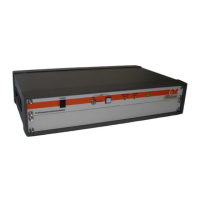
PL7004 Kit
28 Rev F
Table 3-4. IEEE-488 Address Selection
0 DO NOT USE - (RESERVED FOR CONTOLLER)
1 on (1) off (0) off (0) off (0) off (0)
2 off (0) on (1) off (0) off (0) off (0)
3 on (1) on (1) off (0) off (0) off (0)
4 off (0) off (0) on (1) off (0) off (0)
5 on (1) off (0) on (1) off (0) off (0)
:
30 off (0) on (1) on (1) on (1) on (1)
31 DO NOT USE
3.7.2.3 Normal Operation Command/Response
Communication Protocol
Data Type: GPIB (IEEE-488)
Data mode: Asynchronous parallel
Word Length: 8 bit
Information Transfer Protocol
The probe kit only responds to commands from another device. It transmits no data without first receiving
instructions to do so.
Uses the Normal Operation Command/Response as defined for RS-232.
3.7.2.4 Error Code Responses
Uses the Error Code Responses as defined for RS-232.
3.7.3 USB Operating Protocols
The USB port on this product is a USB 2.0 port. It also complies with the USB Test and Measurement Class
Standard. Communications with this port requires the host computer to have a USBTMC driver available.
All commands and queries through this port must be terminated with a <CR>.
The cable required to make this connection is a USB 2.0 A-B peripheral device cable. The cable can be no
longer than 5 meters. If a longer distance is required a USB hub must be used. A cable carrying the official
USB logo is recommended.
When connected to a PC running Windows 2000 or XP a window will pop-up labeled Hardware Wizard. If
this PC has National Instruments LabView installed it will have a USBTMC driver that will work with this
port. This driver will allow the device to be easily controlled using National Instruments Measurement and
Automation Explorer or LabView. If a user wishes to write code in a different programming language, a
custom driver can be requested from AR. It should be noted that the USBTMC driver provided by National
Instruments is a VISA driver which can be used with other programming languages besides LabView. For
more information on this please consult the National Instruments Website found at www.ni.com
.
NOTE: All firmware updates are done through the USB port.


 To Next Page