28
S
S
t
t
a
a
r
r
t
t
B
B
u
u
t
t
t
t
o
o
n
n
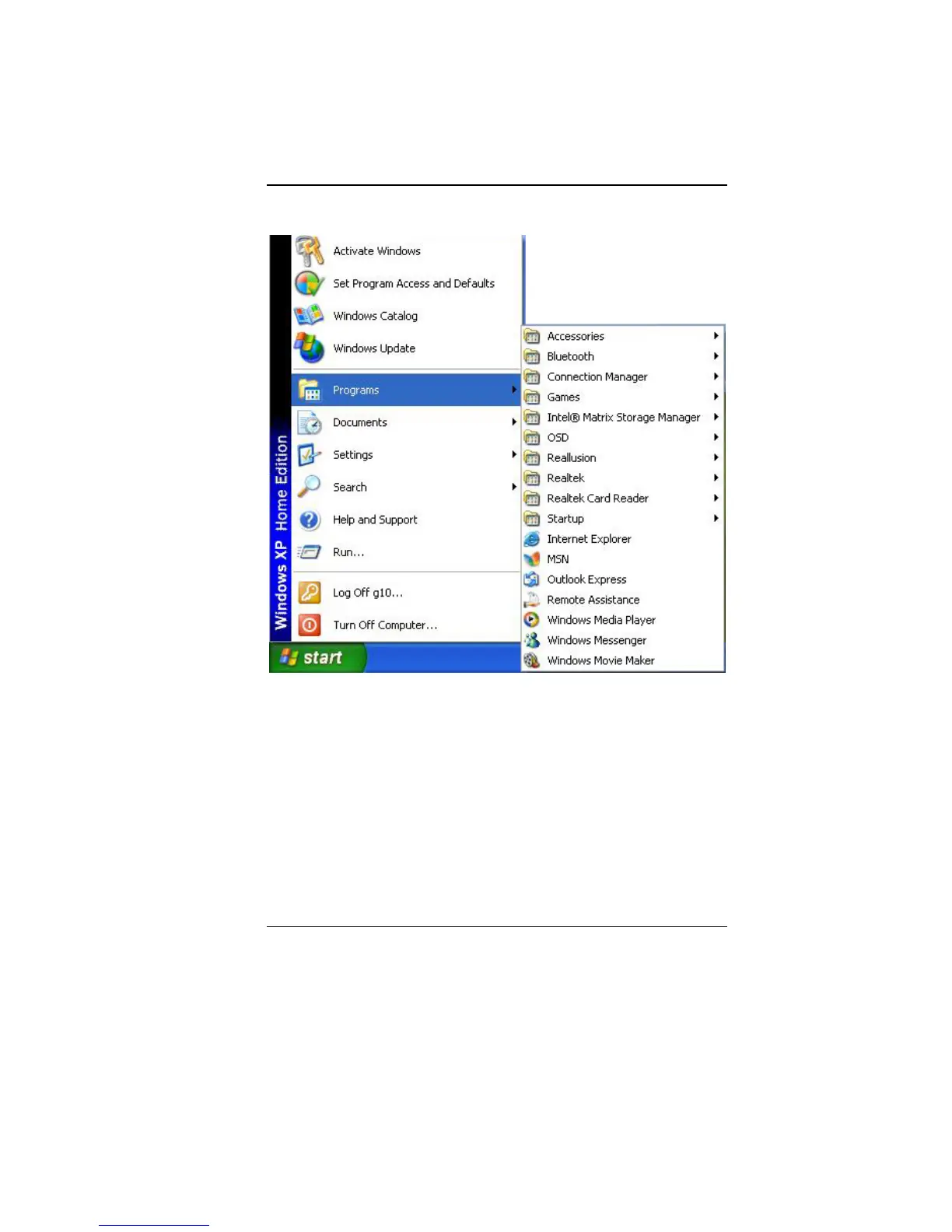
Allows easy access to all Windows programs.
The Start menu allows you to adapt and show the programs used
most frequently. If you wish to keep an item, right click the item and
click Pin to Start menu.
Log Off will enable the current user to log off and allows a new
user to log on.
Turn Off Computer allows you to shut down, restart, and Stand by
modes for power saving purposes.
T
T
a
a
s
s
k
k
b
b
a
a
r
r
When you open a program, its icon is displayed at the taskbar for
you to conveniently move between programs by clicking the
relevant button.
To add or remove toolbars from the taskbar: right click an empty


 To Next Page