29
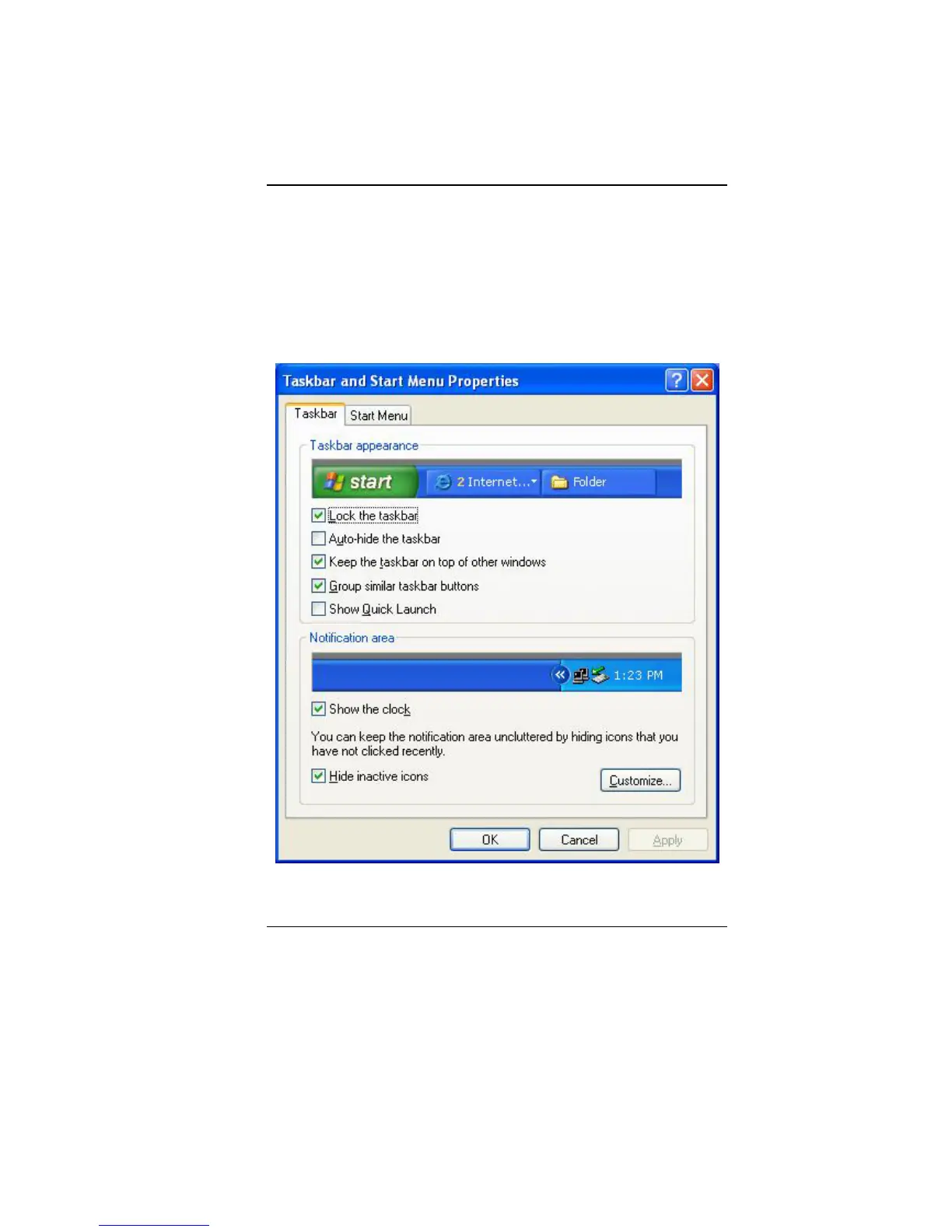
spot on the taskbar, select Toolbars Î choose the toolbar you
want to add.
N
N
o
o
t
t
i
i
f
f
i
i
c
c
a
a
t
t
i
i
o
o
n
n
The icons that appear here are for quick access to some programs
and computer functions that you frequently used. To prevent
Windows Vista from hiding icons:
From an empty spot on the Taskbar, right click your mouse and
select the Properties, remove the checked mark on the Auto-hide
the taskbar.
C
C
o
o
n
n
t
t
r
r
o
o
l
l
P
P
a
a
n
n
e
e
l
l


 To Next Page