15
15
4.2 Comparison of Windows Media Player 10 to Windows Media Player 9
4.2 Comparison of Windows Media Player 10 to Windows Media Player 9
Windows® Media Player 10 is only available for Windows® XP (service Pack 1) and newer operating systems. It
is worth your while to upgrade to Windows® XP (home or professional) and to Windows® Media Player 10. The
list below shows the advantages.
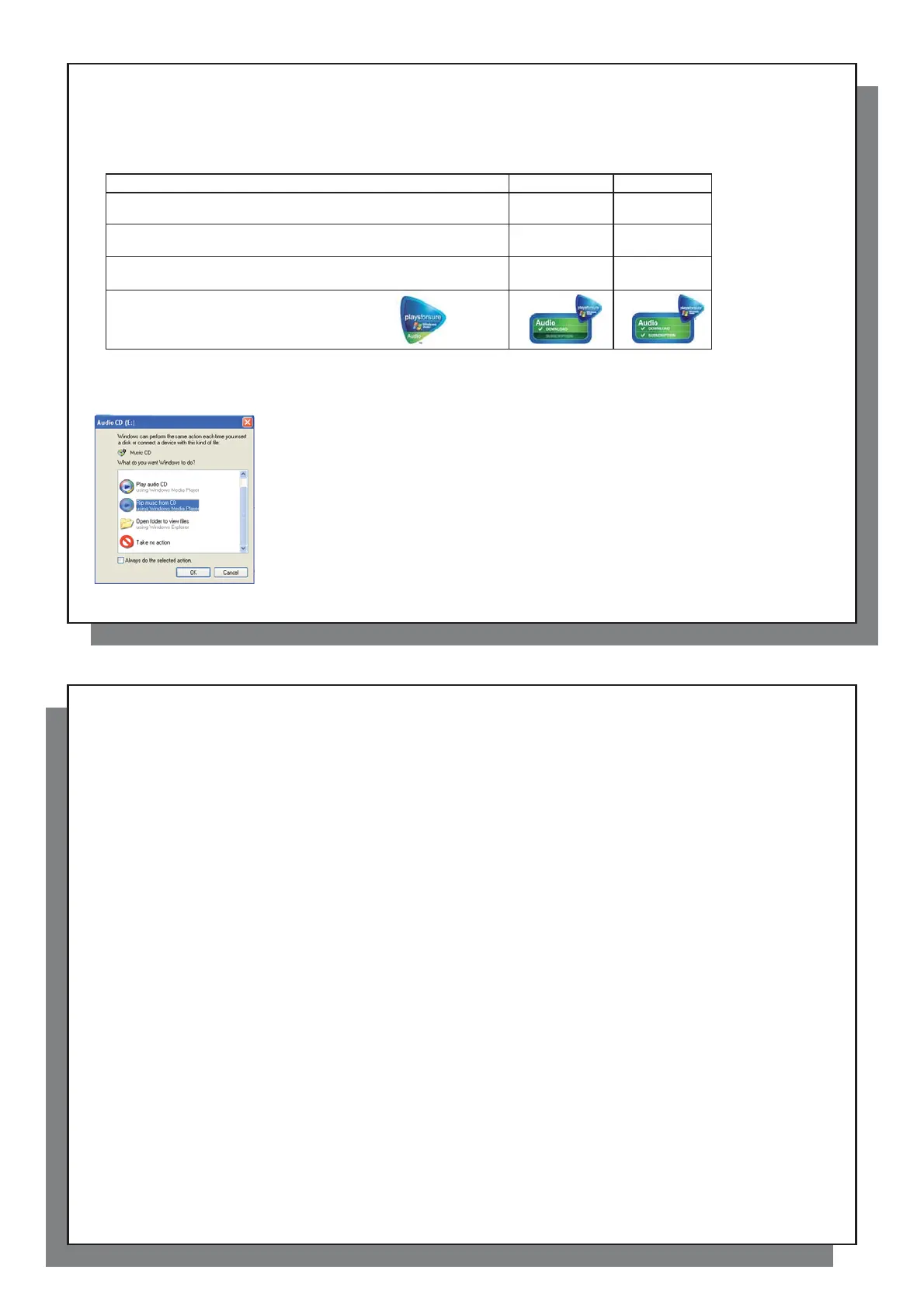
Functionality WMP9 WMP10
Auto-synchronize the WMP library
to Archos™ 104 on connecting to PC
no* yes
Can synchronize subscription music
(‘to go’ services) to your Archos™ 104
no yes
Carefree USB disconnection
(no special green arrow unmount procedure)
no yes
PlaysForSure
™
audio content
* Must use WMP9 manual sync function to copy purchased music to the Archos™ 104.
4.3 Transferring your CD collection to the Archos™ 104
4.3 Transferring your CD collection to the Archos™ 104
The process of transferring music from a CD into fi les for your Archos™ 104 is known
as ‘ripping’. It is actually a transcoding process, taking the CDA (CD Audio) format and
converting it to WMA or MP3 format which the Archos™ 104 can read. There are many
music ripping programs on the market, but the easiest thing to do is to use Windows Media
®
Player to do it. In fact, when you place a music CD in your computer, Windows
®
will ask you
if you would like to rip it. Depending on the power of your computer, to rip a 60 minute CD, it
will take anywhere from 10 minutes to 60 minutes. Once this is done, the album will become
part of your music library. Connect your Archos™ 104 to your computer with the supplied
USB cable. Now, you go to the Sync tab and tell Windows Media
®
Player to synchronize
that album to your Archos™ 104. It will then transfer that album to your Archos™ 104.
Note: Some music CDs have a special copy protection system that will not allow Windows
Media
®
Player to make music fi les from them.
16
16
4.4 Installing Windows Media
4.4 Installing Windows Media
®
Player (WMP) 9
If you have Windows
®
ME or 2000, you should use Windows Media
®
Player 9. The easiest way to install this
software is to visit the Microsoft
®
Website and download the very latest version.
4.5 Installing Windows Media
4.5 Installing Windows Media
®
Player (WMP) 10
You must be running Windows
®
XP (Service Pack 1 or higher) in order to install Windows Media
®
Player 10.
Please visit Microsoft’s PlaysForSure website ( www.playsforsure.com ) and download the very latest version
of Windows Media
®
Player 10.




 To Next Page