38
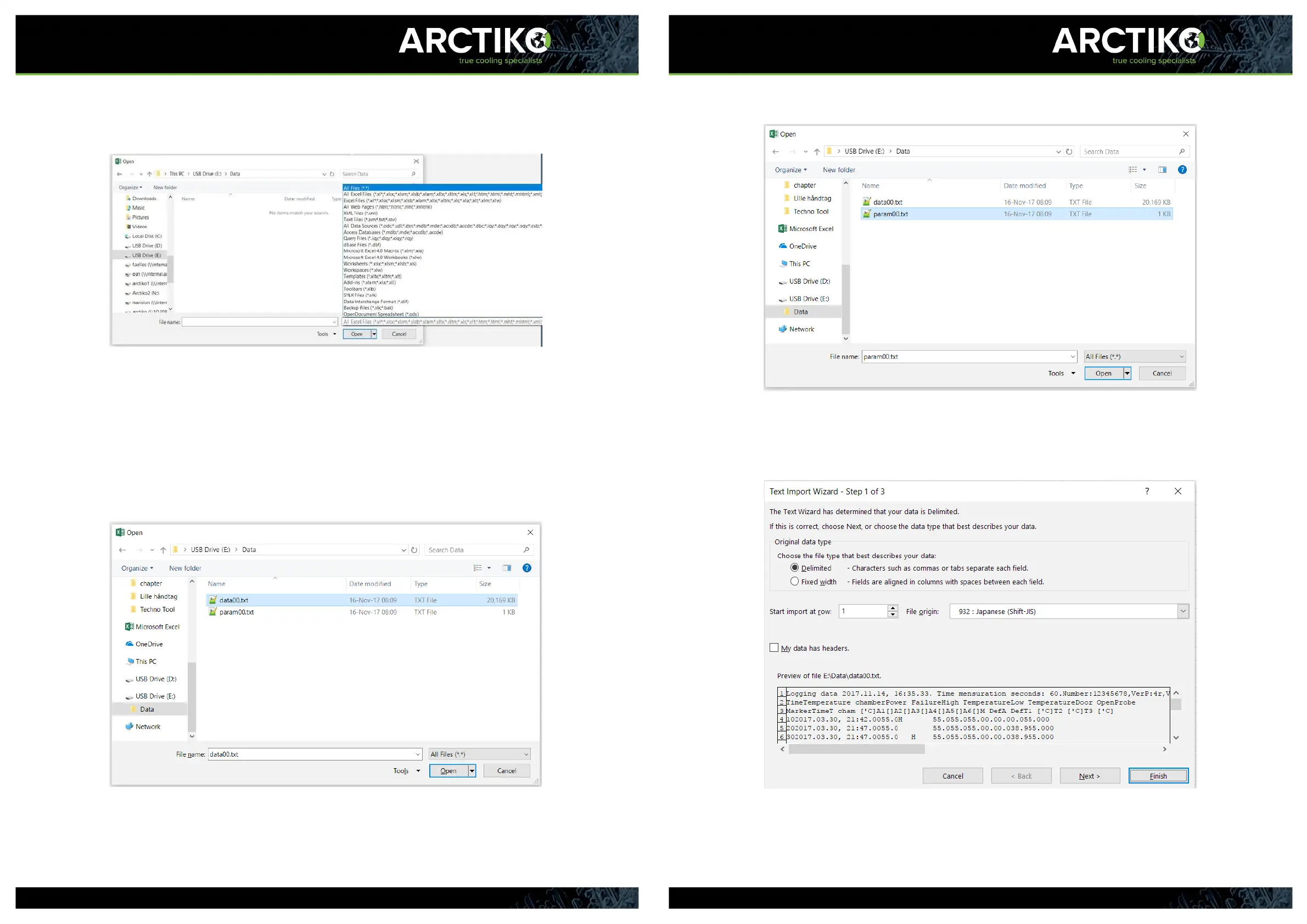
3. Select “ALL Files (*.*)” to make sure the relevant files are visable.
4. The files should now be visable. “data00.txt” and “param00.txt”. If more
than one readout has been preformed, each readout will create a set of files
with the number increased by one. The “data00.txt” file contains the most
recent download. The “param00.txt” file contains the parameter
settings.
- Open “data00.txt” or “param00.txt”.
39
5. When the desired file is opened, the following window will appear.
Proceed by clicking the “Finish” button.



 To Next Page