6.5.1 JTAG Connector
Debugging capabilities are integrated directly into the Arduino Due and are accessible via the 6-pin JTAG connector.
Pin Function Type Description
1 Reset Reset Reset
2 GND Power GROUND
3 TDI Digital Test Data In
4 N/C - Not Connected
5 TDO Digital Test Data Out
6 GND Power GROUND
7 TCK Digital Test Clock
8 GND Power GROUND
9 TMS Digital Test Mode Select
10 +3V3 Power +3V3 Power Rail
JTAG pinout
6.5.2 Native USB Port
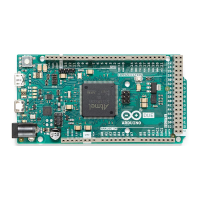
The Arduino Due's Native USB port features a USB Type-B connector. This port allows the board to communicate
directly with a computer as a USB device, enabling functionalities such as USB host/device capabilities and USB OTG
(On-The-Go) functionality.
Arduino Due USB port


 To Next Page
 Loading...