6.5.3 Programming USB Port
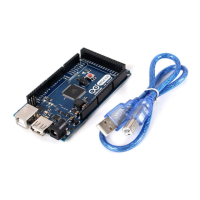
This port allows the board to be programmed and powered via a USB connection to a computer. It facilitates serial
communication between the Arduino Due and the computer, enabling the uploading of sketches and interaction
with the Arduino IDE. The port is connected to the ATmega16U2 microcontroller, which acts as a USB-to-serial
converter, simplifying the programming process. When connected to a computer, the Arduino IDE recognizes the
board as a COM port, enabling seamless communication for programming and debugging purposes.
6.5.4 Board's 24-Pin Header Connector
The 24-pin header connector provides a range of interfaces and general-purpose pins essential for various
applications
These pins offer a range of functionalities, including analog and digital input/output, power supply connections,
analog-to-digital, digital-to-analog conversion and CAN bus communication.
Pin Function Type Description
1 NC NC Not Connected
2 IOREF IOREF Reference for digital logic voltage - connected to 3.3V
3 Reset Reset Reset
4 +3V3 Power +3V3 Power Rail
5 +5V Power +5V Power Rail
6 GND Power Ground
7 GND Power Ground
8 VIN Power Voltage Input
9 A0 Analog Analog input 0 / GPIO
10 A1 Analog Analog input 1 / GPIO
11 A2 Analog Analog input 2 / GPIO
12 A3 Analog Analog input 3 / GPIO
13 A4 Analog Analog input 4 / GPIO
14 A5 Analog Analog input 5 / GPIO
15 A6 Analog Analog input 6 / GPIO
16 A7 Analog Analog input 7 / GPIO
17 A8 Analog Analog input 8 / GPIO
18 A9 Analog Analog input 9 / GPIO
19 A10 Analog Analog input 10 / GPIO
20 A11 Analog Analog input 11 / GPIO
21 DAC0 Analog Digital to Analog Converter 0
22 DAC1 Analog Digital to Analog Converter 1
23 CANRX Digital CAN Bus Receiver
24 CANTX Digital CAN Bus Transmitter
Board's 24-Pin Header pinout


 To Next Page
 Loading...