2
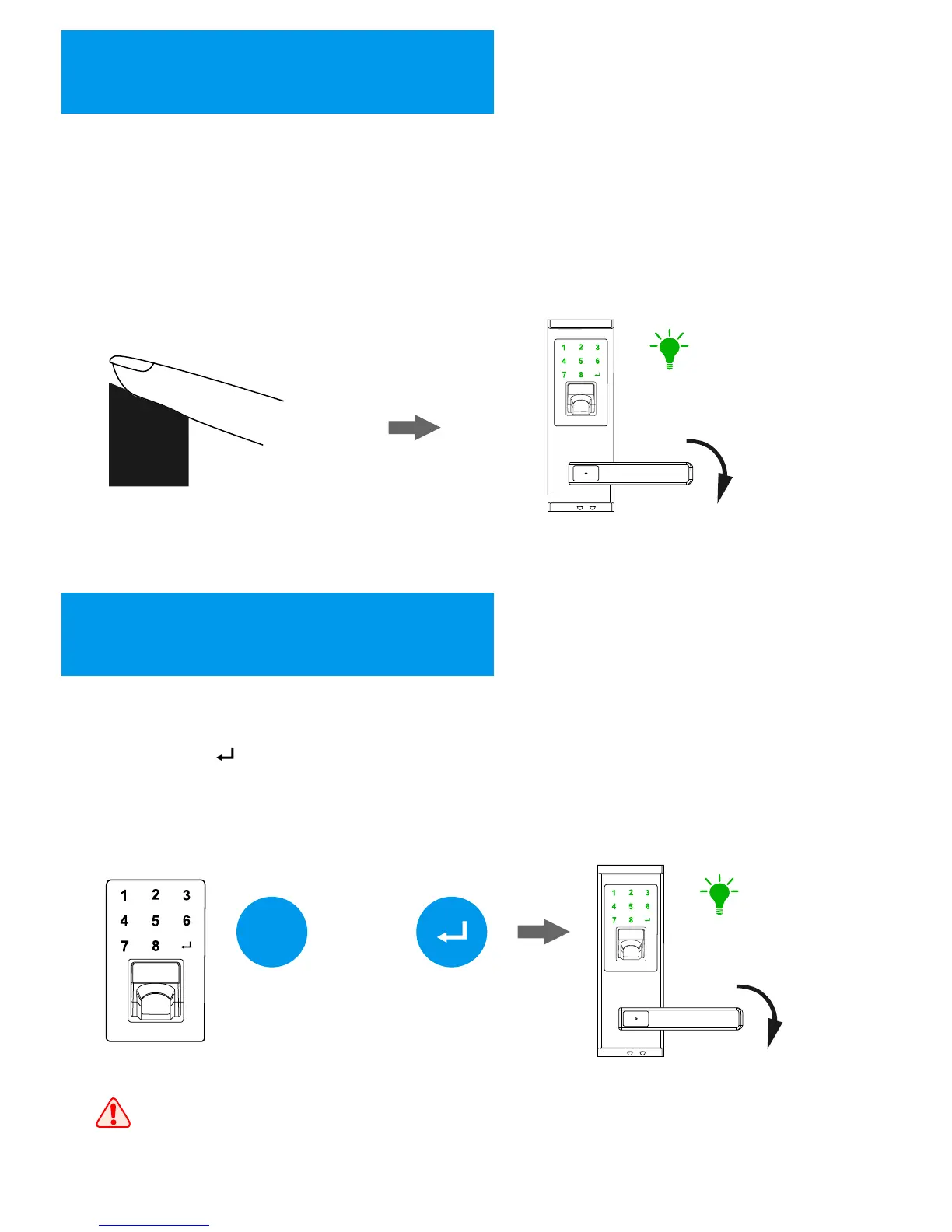
Fingerprint Unlocking
Place the finger on the sensor, the lock will be activated automatically and
started to capture the fingerprint image for identification. Once the identification
is passed, the keypad shows “Green” light with sounds, then you can press down
the handle for unlocking.
“Green”
3
Password Unlocking
Touch the keypad to activate the lock, then input the password (8 digits)
with pressing “ ” to finish. If the password is correct, the keypad shows
“Green” light with sounds, then you can press down the handle for
unlocking.
***
(8 digits)
“Green”
When inputting a wrong password for 3 times, the lock will be locked for
5 minutes. During the 5 minutes, the lock cannot be activated and all
operations are not available. After that, the lock returns to normal state.
+
8


 To Next Page