12
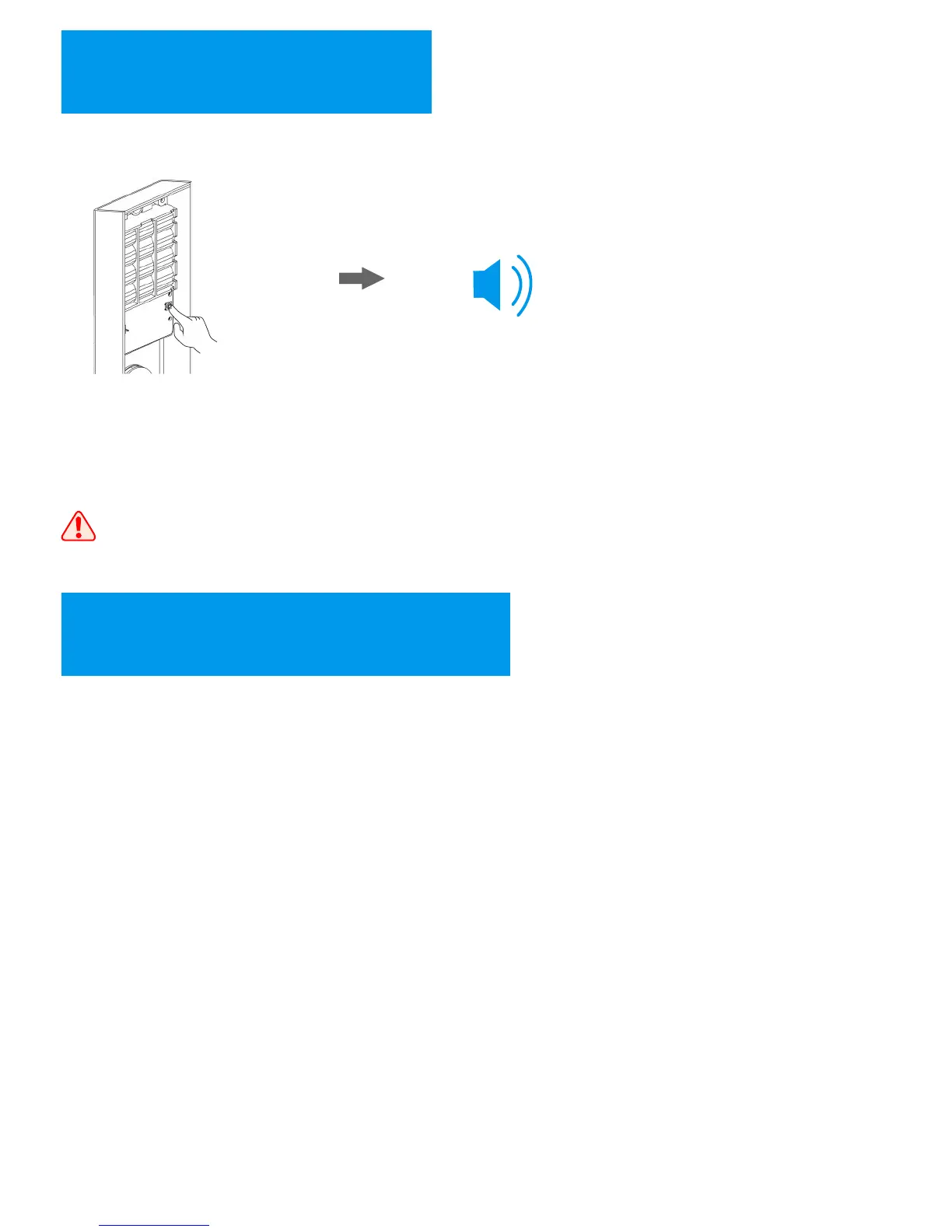
Restore the Lock
When the lock has problems and you can try to restore the lock to solve the problems.
1.The restore key is on the
back of interior panel, which
is in white color. Press the key
for 3 seconds.
2.Release the key when hearing
“beep” sound, then the lock will
restored to factory default.
Once restore the lock, all users including normal users and
master users will be deleted.
=3S
13
Software – User Copy
With the software “User Copy”, you can backup and recover the user data to the lock.
The software only works with Microsoft Windows XP, 7, 8, and 10 systems.
17


 To Next Page