9
Delete Master User under Security Mode
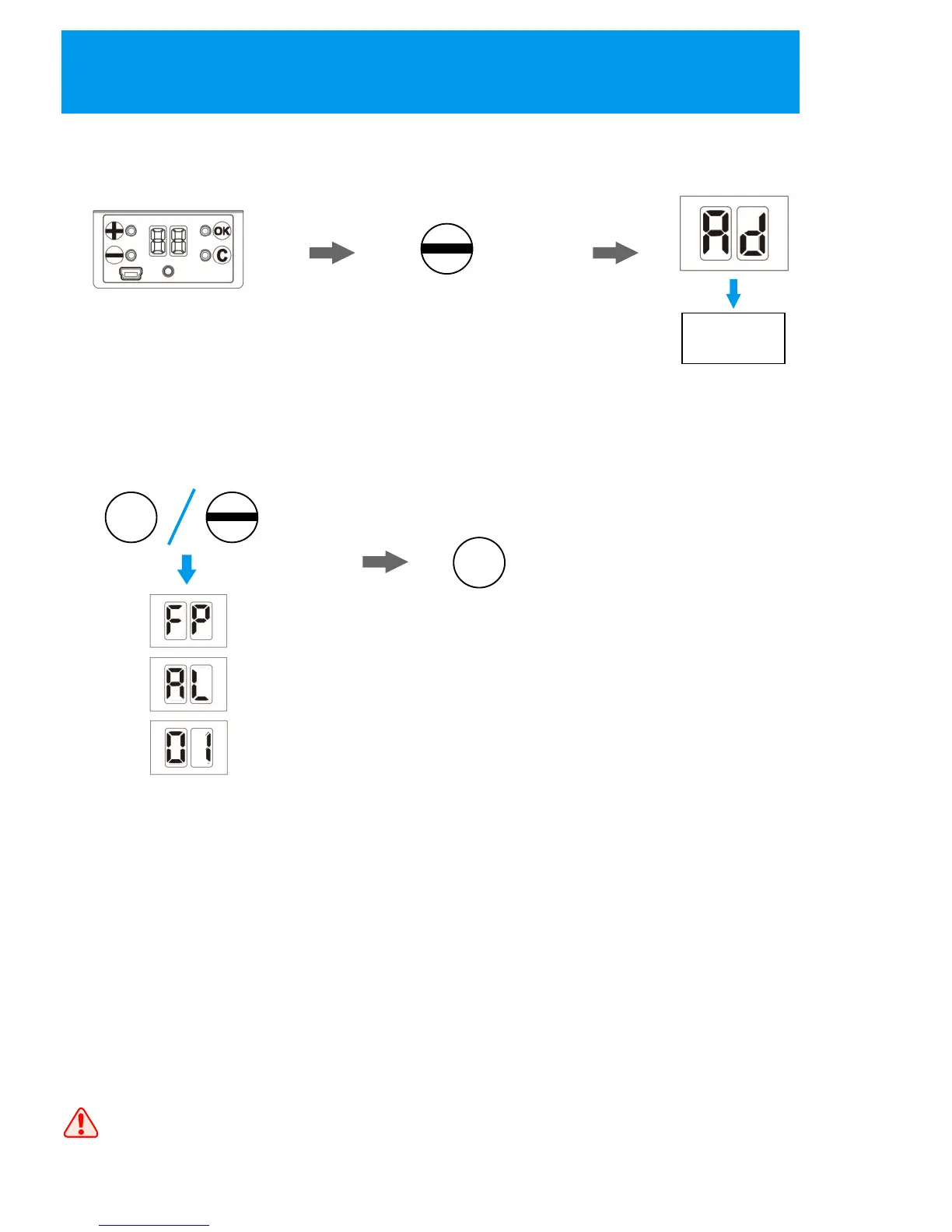
1. Activate the lock
by pressing any key
on the lock;
2. Press and hold “-“
key to enter master
user deletion state;
5. Press “C” to exit
Once finish the user deletion, please try to use that user to unlock
and make sure the deletion is successful.
C
4. Press “+” and “-“ to select the
way to delete the user, then press
“OK” to confirm;
FP: input the fingerprint/password
you want to delete twice, then the
lock will delete that user;
AL: if you want to delete all
master users, select this way
and the lock will delete all users;
ID: select the user ID you want to
delete, then press “OK” to confirm,
the lock will delete that user
3. Place the master user
for authorization;
(the nixie tubes show “AD”
for master user authorization)
Master User
Authorization
+
=3S
14


 To Next Page