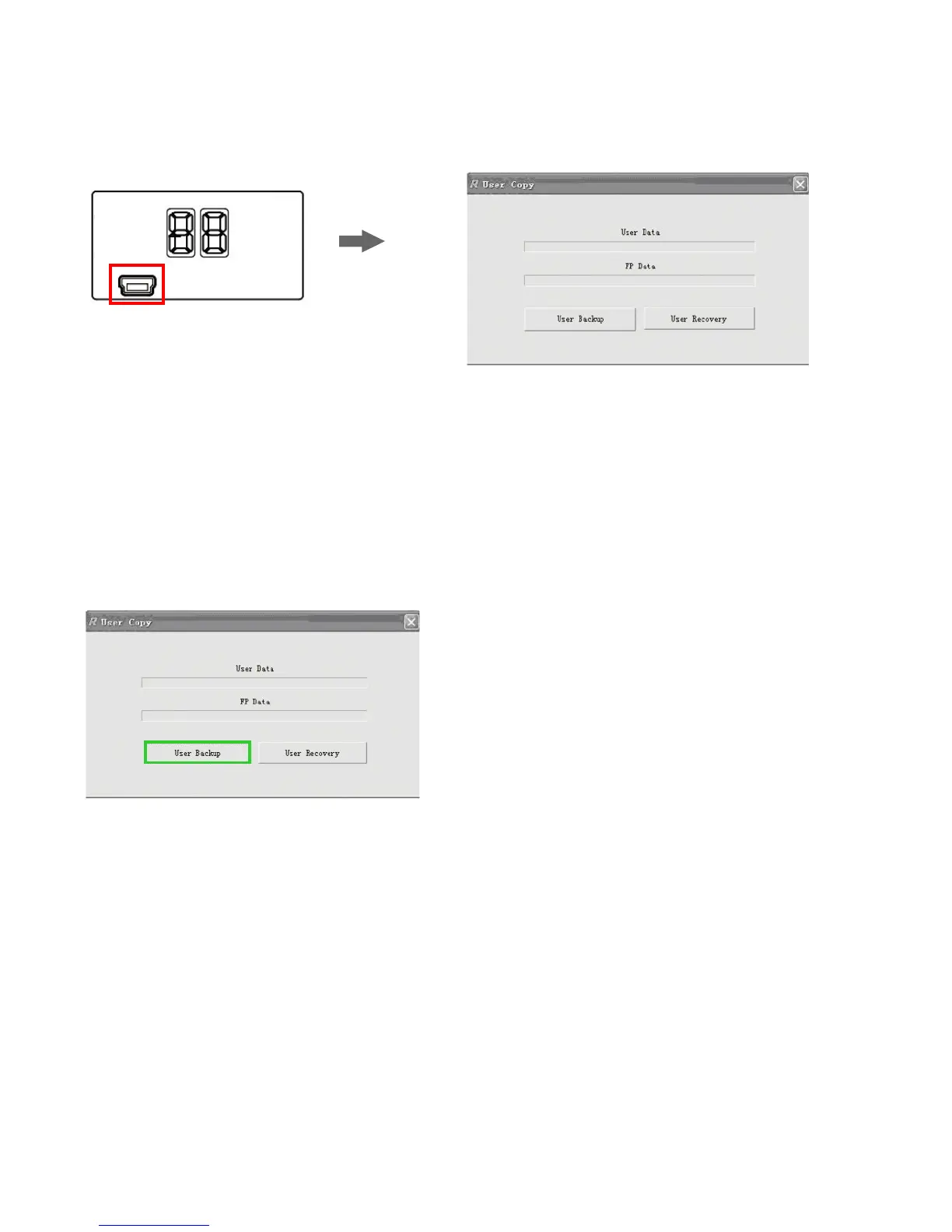
User data back up
1.Connect the lock to the computer
through the USB cable. The nixie
tubes show “CO” if the connection
is successful.
2.Open the software “User Copy”;
3.Click “User Backup” and select the
direction to save the file, then the user
data will be transferred to the computer.
Mini USB
18


 To Next Page