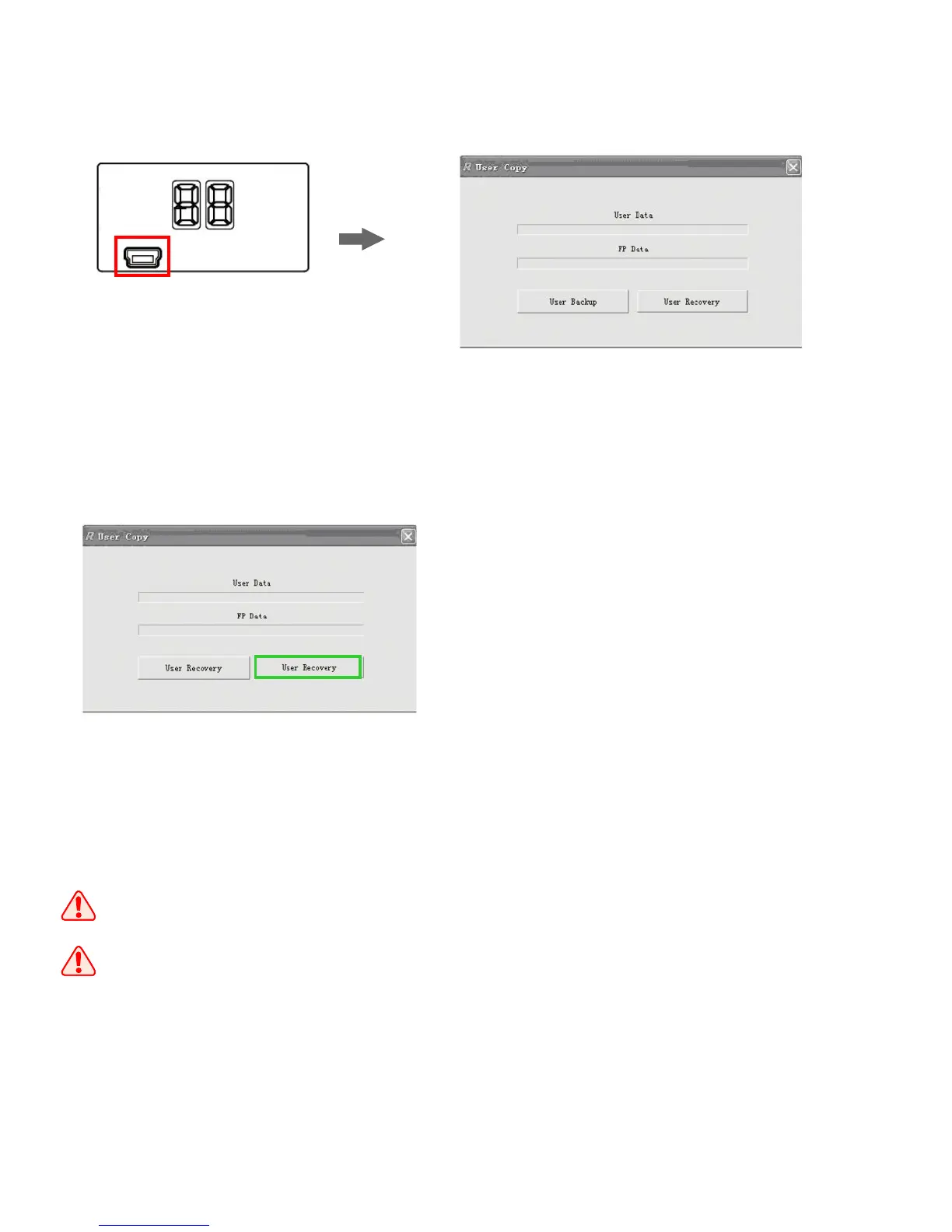
User data recovery
1.Connect the lock to the computer
through the USB cable. The nixie
tubes show “CO” if the connection
is successful.
2.Open the software “User Copy”;
3.Click “User Recovery” and select the
file in the computer, then the user data
will be transferred to the lock.
1.The users in the lock will be recovered to the users saved in the file.
2.When the lock is in “Security Mode”, it needs master user authorization
before operations. The nixie tubes show “AD” for the master user
authorization.
Mini USB
19


 To Next Page