149
APPENDIX
• Starting the Arcash Utility
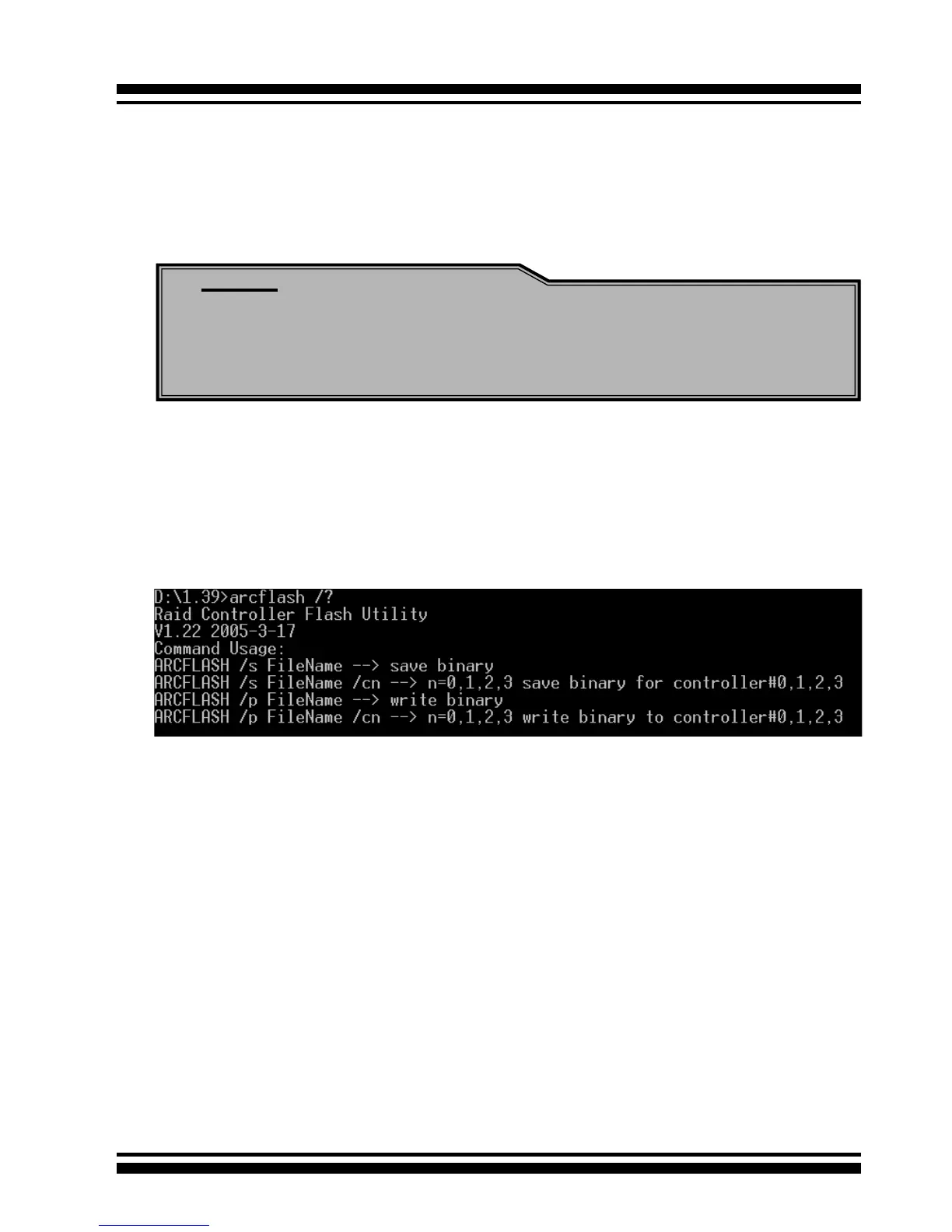
Arcash utility provides an on-line table of contents, providing brief
descriptions of the help sub-commands. You can use the <arcash>
/? to get detail information about the command. Typical output
looks as below:
Note:
The Mode 0 Flash jumper is a 2x5 connector without housing,
located on the left of card near bracket. The header size is
0.65mm and pitch size is 2.54mm.
The jumper name for each adapter to upgrade entire ash ROM im-
age as following:
ARC-1110/1120/1210/1220/1170 for 4/8/24 ports
→ J
3
ARC-1130(ML)/1160(ML)/1230/1260 for 12/16 ports
→
J7
ARC-1230ML/1260ML/1280ML/1280 for 12/16/24 ports
→
J2
• Flash Procedure
1. Power off system and remove power cable.
2. Take Raid controller out.
3. Set a Close Cap on the J3/J7 2x5 Connector.
4. Plug Raid controller back to M/B.
5. Reconnect power cable and boot up from DOS.
6. Flash Controller.
7. After ash procedure compeleted, then power off system.
8. Remove power cable then take Raid controller out and remove
the close cap.
9. Plug Raid controller back to M/B, connect power cable, and
power on your system.



 To Next Page