Technical Guide P92x/EN FT/E11
User Guide
MiCOM P921-P922-P923 Page 79/110
11.8 "T DELAY EQUATION" Menu
11.8.1 Description
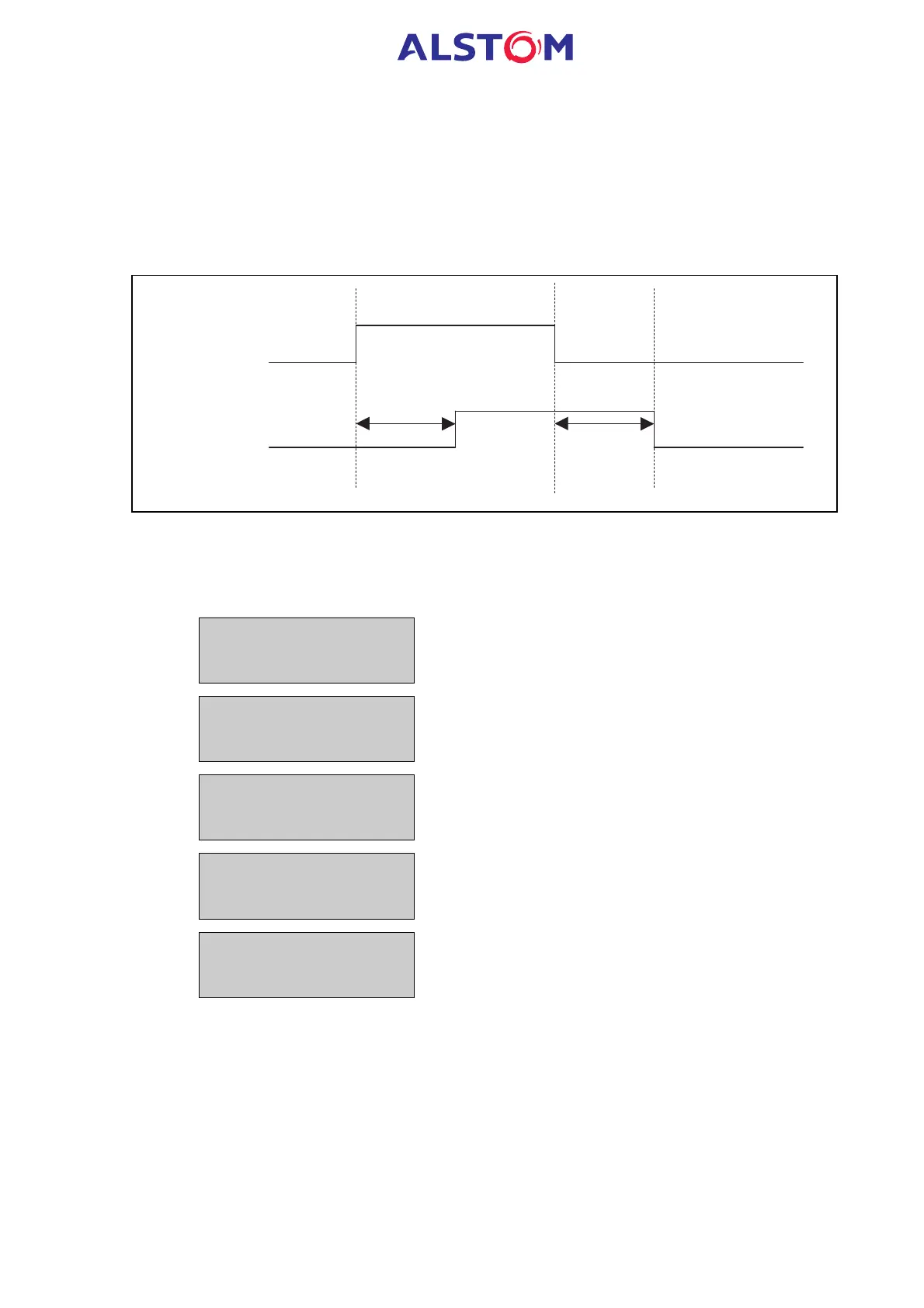
For each logic equation, two independent timers are available : one pick-up timer
and one drop-off timer.
The principle of these timers is indicated on the scheme below :
Toperate=pick-up
Treset=drop-off
"A" Equation
input
"A" Equation
result
P0402ENa
11.8.2 HMI description
To gain access to the “T DELAY EQUATION” sub-menu from the default display,
press 2 once, 5 times 6 (P921) or 6 times (P922 or P923), once 2 and 7 times 6.
T DELAY EQUATION
Heading of the “T DELAY EQUATION” sub-menu
EQU. A Toperat =
0.0 s
Description : setting of the pick-up timer for the “A” logic
equation
Range : 0 – 3600s, step = 0,1s
EQU. A Treset =
0.0 s
Description : setting of the drop-off timer for the “A” logic
equation
Range : 0 – 3600s, step = 0,1s
EQU. B Toperat=
0.0 s
Description : setting of the pick-up timer for the “B” logic
equation
Range : 0 – 3600s, step = 0,1s
EQU. B Treset=
0.0 s
Description : setting of the drop-off timer for the “B” logic
equation
Range : 0 – 3600s, step = 0,1s



 To Next Page