32V 04/23
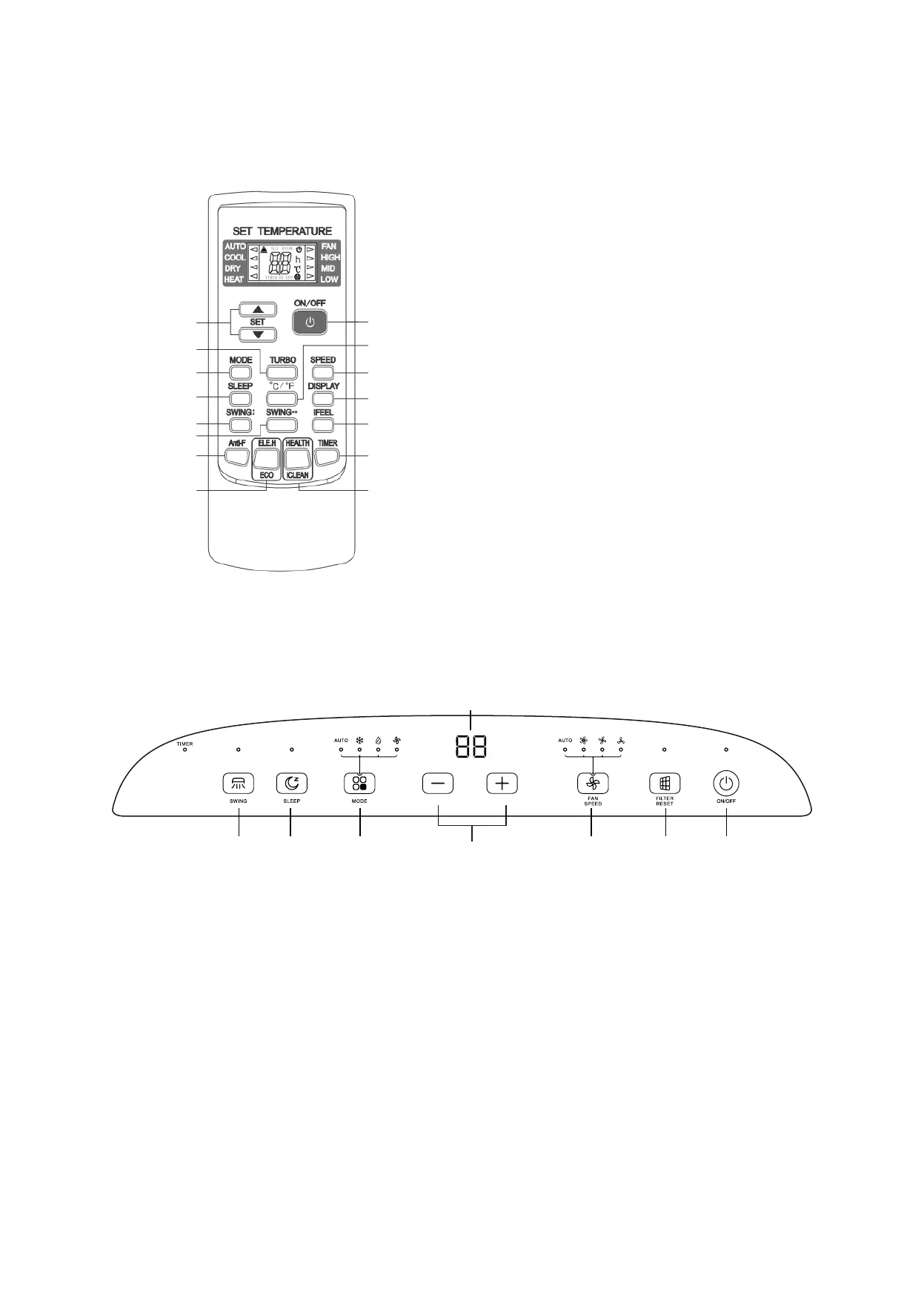
1. ON/OFF button
2. FILTER RESET button
3. FAN SPEED button
4. UP/DOWN (+/-) buttons
5. MODE button
6. SLEEP button
7. SWING button
6
5
4
3
2
1
7
Display
FOR OPTIMUM OPERATION OF THE REMOTE CONTROL, ADDRESS THE TRANSMITTER HEAD TOWARDS
THE RECEIVER LOCATED ON THE AIR CONDITIONER.
REMOTE CONTROLLER BUTTONS
1. ON/OFF button
2. °C/°F button
3. FAN button
4. DISPLAY button
5. IFEEL button (not active)
6. TIMER button
7. Health/clean button (not active)
8. Temp and Timer setting buttons
9. TURBO button (not active)
10. MODE button
11. SLEEP button
12. Vertical SWING button (not active)
13. Horizontal SWING button
14. ANTI-FUNGUS button (not active)
15. ECO button (not active)
1
2
3
4
5
6
7
8
9
10
11
12
13
14
15
BY CONTROL PANEL
1. ON/OFF BUTTON
Press this button to turn the unit on or off.
When switched on, the appliance will start operating according to the last settings (memory function).
2. FILTER RESET BUTTON
This LED indicator comes on every 250 hours of use to signal that the air lter need to be cleaned. Once cleaned,
press the “FILTER RESET” button to reset the count of hours of use.


 To Next Page