
 Need help?
Do you have a question about the argon audio 7460/50A and is the answer not in the manual?
Thank you for choosing Argon Audio loudspeakers, we hope they will bring you many years of enjoyment. Please read this manual fully before unpacking and installing the product.
We have during production and packing carefully checked and inspected these loudspeakers. After unpacking please check for any damage from transport.
Variations in placement of your loudspeakers can produce dramatic differences in the way music sounds. Trust your ears and be willing to experiment freely.
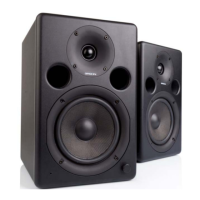
We recommend a running-in time of your new Argon 7460A/7450A loudspeakers of approximately 15-20 hours at normal listening level before you decide on the final positioning.
We recommend that you read the manual of your other audio products carefully before connecting your loudspeakers. Please switch off all equipment when connecting your loudspeakers.
We don't recommend use of any solvents or cleaners on Argon 7460A/7450A cabinets, the cabinet surface usually only requires dusting or cleaning with a damp soft cloth.
Argon 7460A/7450A loudspeakers comply with international directives on the Restriction of Hazardous Substances (RoHS) in electrical and electronic equipment.
Please store this instruction manual for future reference. Do not use this product near water or moisture. Clean only with a dry cloth.
Your Argon 7460A/7450A is equipped with a USB Audio Digital input. A USB Audio Digital input means that you can connect a PC and directly play digital audio content from the PC.
Your Argon 7460A/7450A is using a USB type B plug. Connection will in most cases be a standard flat USB plug in the PC end and a USB type B plug for the 7460A/7450A.
Your Argon 7460A/7450A is equipped with 3 different analogue audio input types. In this section we will explain you how and when to use the different inputs.
Do not use a combined RCA and Mini-Jack (3,5mm) cable! Use only cables with identical plug types at both ends.
Check AC power cord, rear panel power switch, wall outlet power, voltage selector, and rear panel fuse.
Check if speaker is on, right speaker connection, volume level on speaker and audio source.
Check speaker wire polarity, speaker placement, and bass ports for obstructions.
Check speaker wire connection from left to right and reconnect if necessary.
 General
| Brand | argon audio |
|---|---|
| Model | 7460/50A |
| Category | Speakers |
| Language | English |

 To Next Page