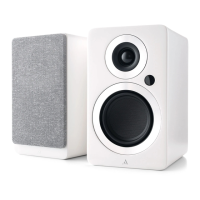
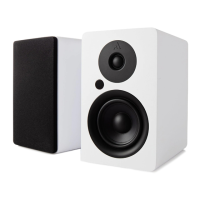
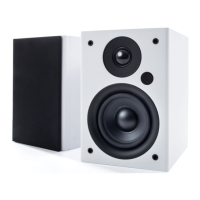
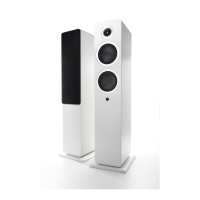
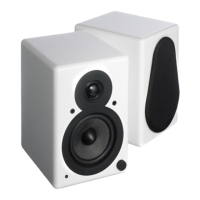
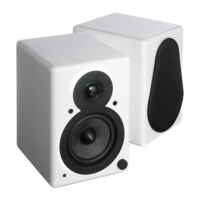
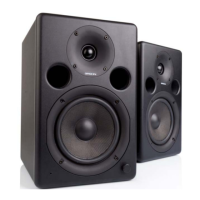
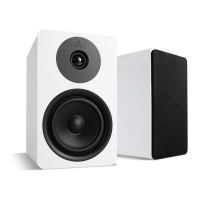
The Argon Audio FENRIS A4, A5, A55 are a series of Danish-designed active speaker systems, crafted to deliver high-quality audio performance with a Scandinavian aesthetic. These speakers are designed for ease of use and versatility, catering to a wide range of audio sources and user preferences.
Function Description
The FENRIS speakers function as a complete audio system, integrating an amplifier within the left speaker to power both the active left speaker and the passive right speaker. This design simplifies setup by eliminating the need for a separate amplifier. They are capable of reproducing sound from various digital and analog sources, including TVs, turntables, and Bluetooth-enabled devices. The built-in Class-D amplifier ensures efficient power delivery and clear sound reproduction. The bass reflex system enhances low-frequency response, providing a richer and more dynamic audio experience.
Usage Features
The FENRIS speakers offer a comprehensive set of input options for connecting diverse audio sources:
- TV ARC (HDMI): For seamless integration with modern televisions, supporting HDMI ARC (2.0 PCM only) for TV sound. This allows for convenient control of the speaker's volume using the TV remote.
- Optical Digital (D1): A digital input for other digital sources, supporting resolutions up to 24 bit/48 kHz, ideal for devices like CD players or streaming boxes.
- Phono (MM): Specifically designed for turntables with a Moving Magnet (MM) cartridge. A dedicated ground connection (GND) is provided to minimize hum and interference when connecting a turntable.
- Aux (Line In): A standard analog input for connecting any analog audio source using a Left/Right RCA cable, such as older CD players or portable music players.
- Bluetooth 5.0: For wireless streaming from smartphones, tablets, and computers. The Bluetooth 5.0 standard ensures a stable and high-quality wireless connection.
Control of the FENRIS speakers is intuitive, primarily through the included remote control and a multi-function knob on the active speaker:
- Remote Control: The remote allows for power ON/OFF, input selection (Phono, D1, BT, TV, Aux), volume adjustment, mute/unmute, and in Bluetooth mode, play/pause and track skipping.
- Volume/Input Knob: Located on the active speaker, this knob serves to adjust volume and select inputs by pressing.
Quick Start Guide:
- Speaker Connection: Connect the left (active) and right (passive) speakers using the provided speaker cable.
- Power Connection: Plug the power cord into an electric outlet and the back of the left speaker. The LED light on the speaker will illuminate.
- Bluetooth Pairing: To pair a Bluetooth device, turn on the speakers and press and hold the 'BT' button on the remote for approximately 3 seconds until the LED blinks. Activate Bluetooth on your device, scan for "Argon Audio FENRIS," and select "pair." The LED will turn solid blue upon successful connection.
- Input Selection: Use the remote or the knob to select your desired input (TV ARC, D1, AUX, Phono, or Bluetooth). The speakers can also automatically switch between inputs (except Phono) if a signal is detected.
- TV ARC Setup: If using TV ARC, you may need to set your TV's digital sound output to PCM.
- Turntable Connection: When connecting a turntable to the Phono input, remember to connect the ground wire from the turntable to the metal GND screw on the speaker.
- Subwoofer Connection: An active subwoofer can be connected to the FENRIS speaker's Pre-out using an RCA cable.
- Running-in Period: It is recommended to run in the speakers for approximately 15-20 hours at a normal listening level before finalizing their positioning.
Special Functions and Features:
- Auto Power Up (APU): The FENRIS speakers feature an Auto Power Up function. When receiving input from any connected source (excluding Phono), they will automatically power on (if off) and switch to the correct input. This feature can be disabled by pressing and holding the power button on the remote for 5 seconds while the speakers are on. Disabling APU also disables automatic power off, requiring manual power off. To re-enable APU, press and hold the power button for 5 seconds again when the speaker is powered off.
- Bluetooth Unpairing: All Bluetooth connections can be removed by pressing and holding the 'BT' button on the remote control. This function is only available when the Bluetooth input is selected.
- LED Dimming: The LED on the front of the speaker can be dimmed. To enable dimming, power on the speaker and hold the D1 button on the remote for 5 seconds. The LED will then turn off after 5 seconds of inactivity. To disable dimming, press and hold D1 for 5 seconds again.
- USB Power Output: A 5V/0.5A USB output is available for charging or powering small USB devices.
- Magnetic Front Grille: The speakers come with magnetic front grilles, allowing for easy attachment and removal, and offering a choice between a covered or exposed driver aesthetic.
Maintenance Features
- Cleaning: To clean the product, unplug it from the wall outlet and use only a dry cloth. Avoid using liquids or placing the product near water or moisture. Do not spill liquids on the product.
- Ventilation: Ensure the unit is placed on a solid surface and not in a closed bookcase or cabinet that might obstruct airflow to its ventilation openings. This prevents overheating and ensures optimal performance.
- Power Cord Protection: Protect the power cord from being walked on or pinched, especially at the plugs and where it exits the product, to prevent damage.
- Lightning Storms/Long Periods of Disuse: During lightning storms or if the product will be unused for extended periods, unplug it from the power source to prevent damage from lightning and power-line surges.
- Servicing: Do not attempt to service the product yourself. Opening the covers may expose you to dangerous voltages or other hazards. Refer all servicing to qualified service personnel as directed by the manufacturer.
- Overload Prevention: Do not overload wall outlets, extension cords, or integral power circuits to avoid the risk of fire or electric shock.
- Foreign Objects: Never push any objects through the product openings, as this can lead to fire, electric shock, or damage.
- Proper Power Sources: Always plug the product into a proper power source as described in the operating instructions or as marked on the product.
- Original Packaging: It is recommended to keep the original box and packing material for future transportation, ensuring the speakers are protected if they need to be moved.
- User Manual: Keep this User Manual for future reference regarding operation and maintenance.

 Need help?
 General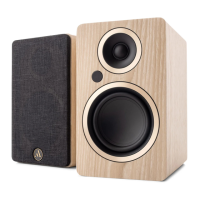



 To Next Page