"Argon Audio Quiet Storm" on the list and then click it to
pair until the headphone says “connected”. You are now
ready to listen to music!
3. Power off: Press the power button for about 3 seconds
until the headphone says “power off.”
4. To switch between ANC mode, Ambient mode and ANC off
mode, press the NC-button.
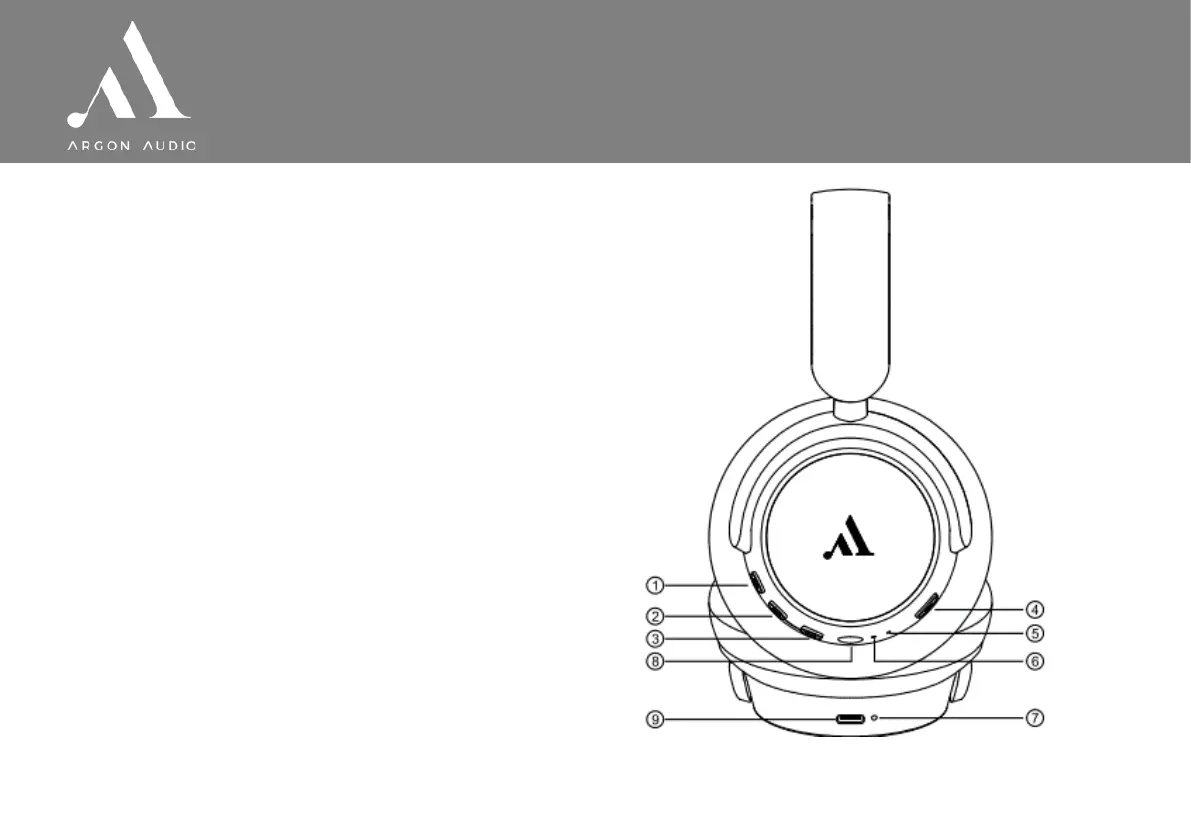
Buttons and indicators overview
1. Power (hold)/play/pause/answer call/end call
2. Volume up/next track
3. Volume down/previous track
4. Mode switch (ANC on/off, Ambient mode)
5. Microphone
6. LED indicator for pairing/power on/power off
7. LED indicator for charging
8. Line in (3.5mm jack)
9. Type C charging port


 To Previous Page