9
Computer Operation
Functions and operations
Speci cations
Function
Auto Scan Every 6 seconds
Speed 0.0-99.9 KM/H
Distance 0.0-999.9 KM
Time 0:00-99:59 (Minute: Second)
Calories 0-9999 Kcal
Pulse 40-240 BPM
Sensor No-contact magnetic type
Battery type 2 x SIZE-AA
(not included)
Operation temperature 0
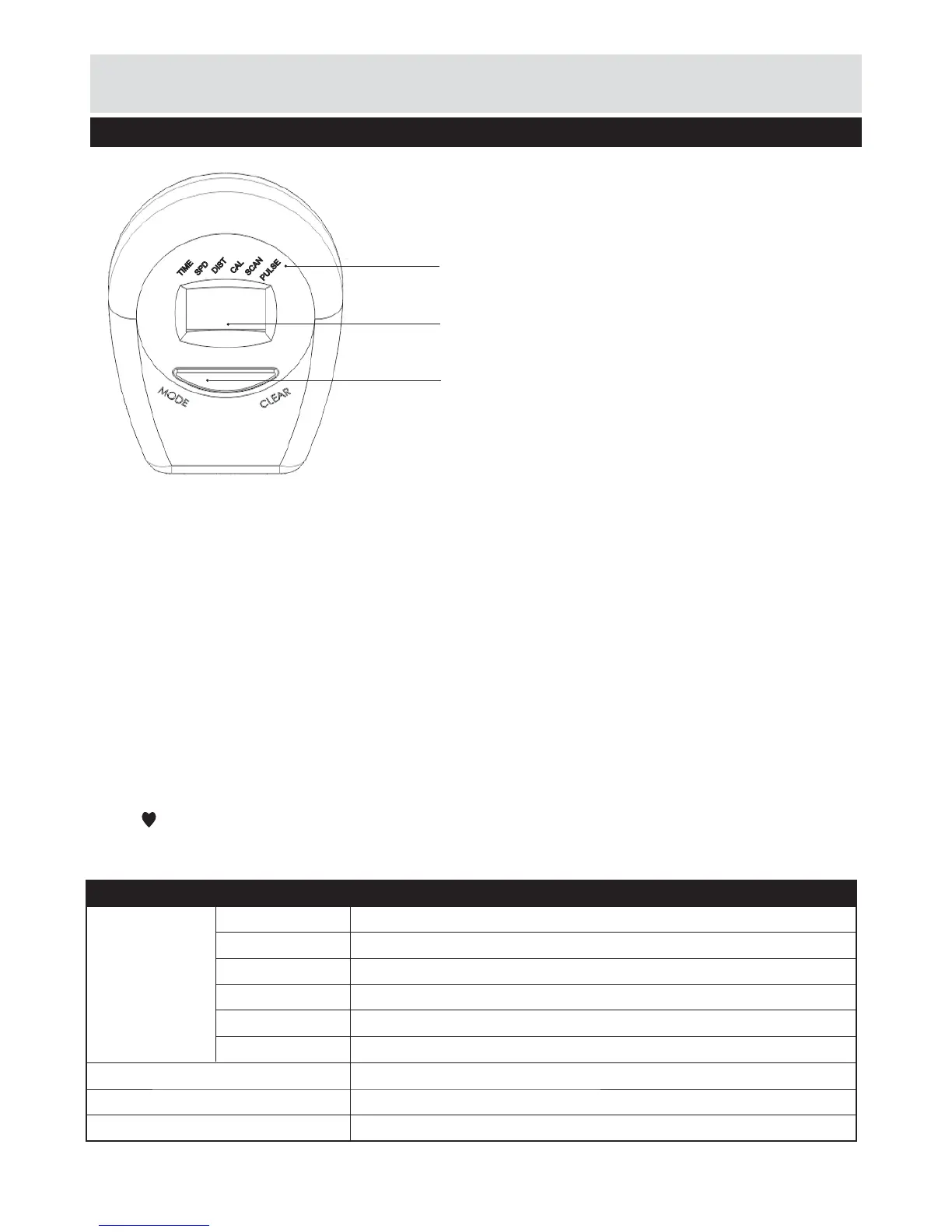
MODE: Press Mode to choose functions.
AUTO ON /OFF: The monitor will switch on
automatically when the exercise machine is in
motion. The monitor will turn off automatically 4
minutes after use.
Functions:
SCAN: Press Mode button until the arrow points to
SCAN, the display will automatically rotate between
TIME, SPEED, DISTANCE, CALORIES, PULSE,
Each display will be held for 6 seconds.
SPEED: Press Mode button until the arrow points to
SPEED. The monitor will display the current speed.
DISTANCE: Press Mode button until the arrow
points to DIST. Monitor will display the trip distance
you have travelled.
TIME: Press Mode button until the arrow points to
TIME. The monitor will display total riding time.
CALORIES: Press Mode button until the arrow
points to CAL. The monitor will display total calories
burnt.
CLEAR: Reset value to zero in each mode.
PULSE: Press Mode button until the heartbeat
symbol
is ickering, the monitor will display your
current heartbeat per minute.
Mode
Display
Functions:
Scan / Pulse / Time / Speed / Distance / Calories
PULSE
TIME
SPD
DIST
CAL
SCAN


 To Next Page