6
Assembly Instructions
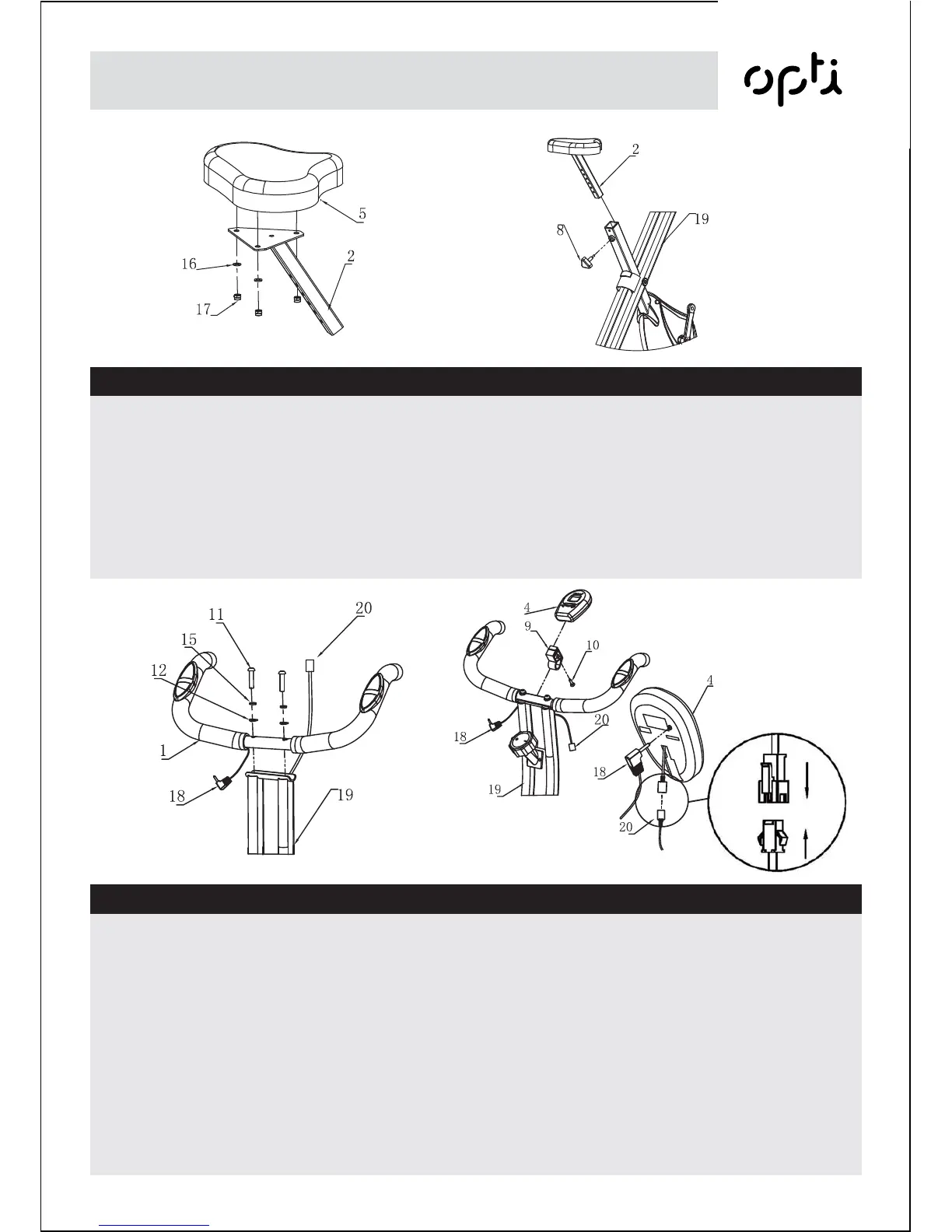
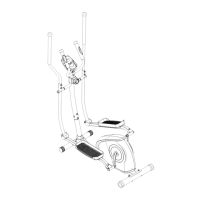
Connect the Handlebar (1) to
the Main frame (19) using
2 x M8 x 35mm Allen Bolts (11),
2 x M8 Spring Washer (15) and
2 x M8 Curved Washer (12).
Attatch the Holder of monitor (9)
on the Handlebar (1).
Tighten the opening of the
Holder (9) with one one Screw (10).
Slide the Exercise Monitor (4)
onto the Holder (9).
Connect the Sensor Wire
(20) together and fit the
Pulse Wire (18) into the rear of
the Exercise Monitor (4).
WARNING! Heart rate
monitoring systems may be
inaccurate.
Over exercise may result in
serious injury or death.
If you feel faint stop exercising
immediately.
Step 3
Remove the 3 x M8 Saddle
Washers (16) and 3 x M8
Saddle Nut (17) from the
Saddle (5).
Fit the Saddle (5) to the Saddle
Stem Insert (2) refitting the
Washers (16) and Nuts (17)
previously removed. Attach the
Adjuster Knob (8) into the
saddle support before you slide
the Saddle Stem Insert (2) into
the Main Frame.
Set the Saddle to the desired
height, allowing for a slight
bend in the knee at the bottom
of the pedal rotation.
Re-tighten the Adjuster Knob
(8) .
Step 2


 To Next Page