9 - 29
9.2
ADJUSTING STEERING LEVER
HEIGHT FOR SERIAL NUMBERS ABOVE
10,000 ONLY
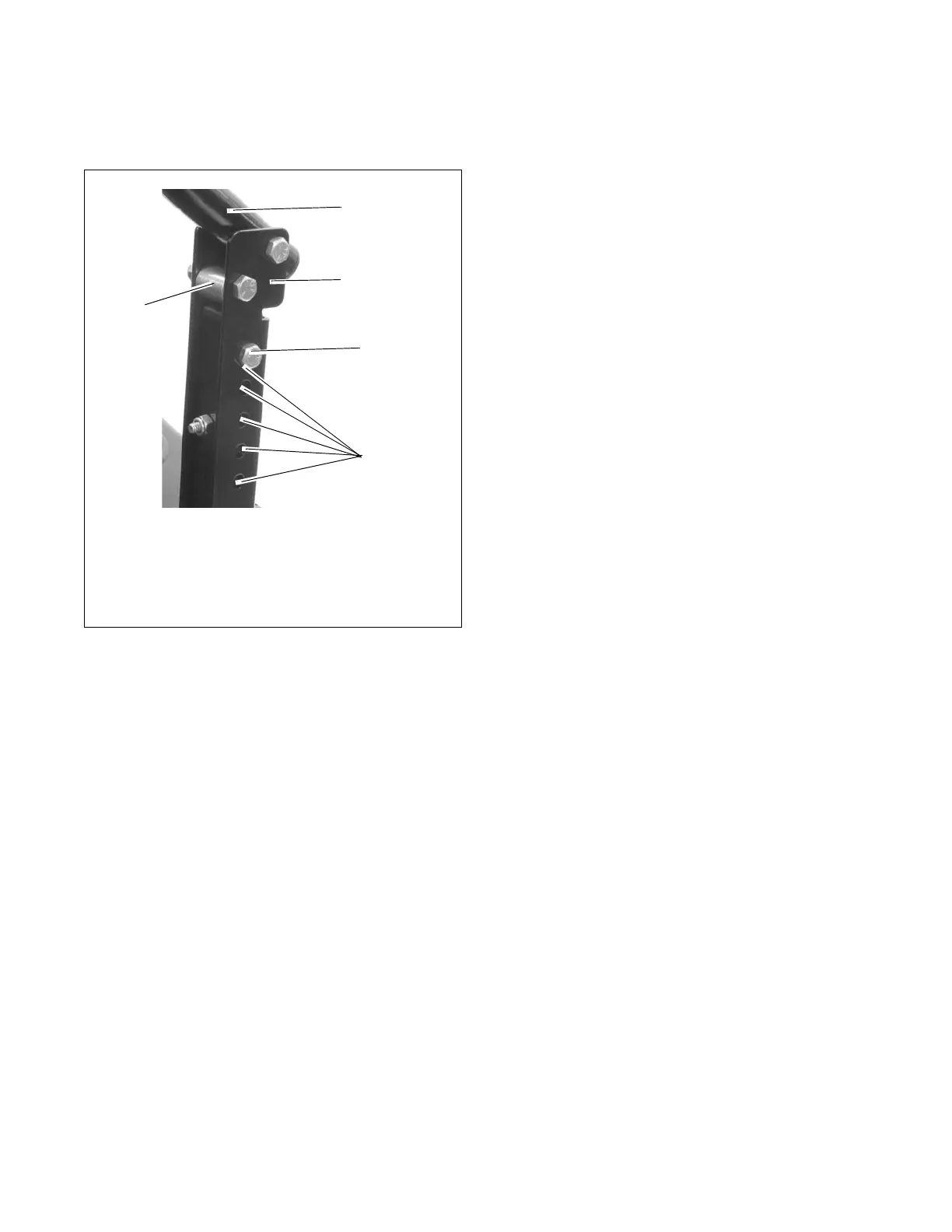
(Figure 30)
Figure 30
NOTE: Perform steps 1 and 2 for both steering levers.
1. Remove mounting hardware and move handlebar
up or down until the steering levers are at the
appropriate height.
2. Install mounting hardware.
NOTE: Align handlebars by adjusting eccentric spacer
until the height of handlebars are the same.
Models with serial numbers below 10,000 have a
series of holes that line up to insert bolts with nuts.
Choose the combination that is most appropriate.
OE0046
5
2
3
4
1
1. Handlebar
2. Steering Lever
3. Mounting Hardware
4. Adjustment Holes
5. Eccentric Spacer




 To Next Page