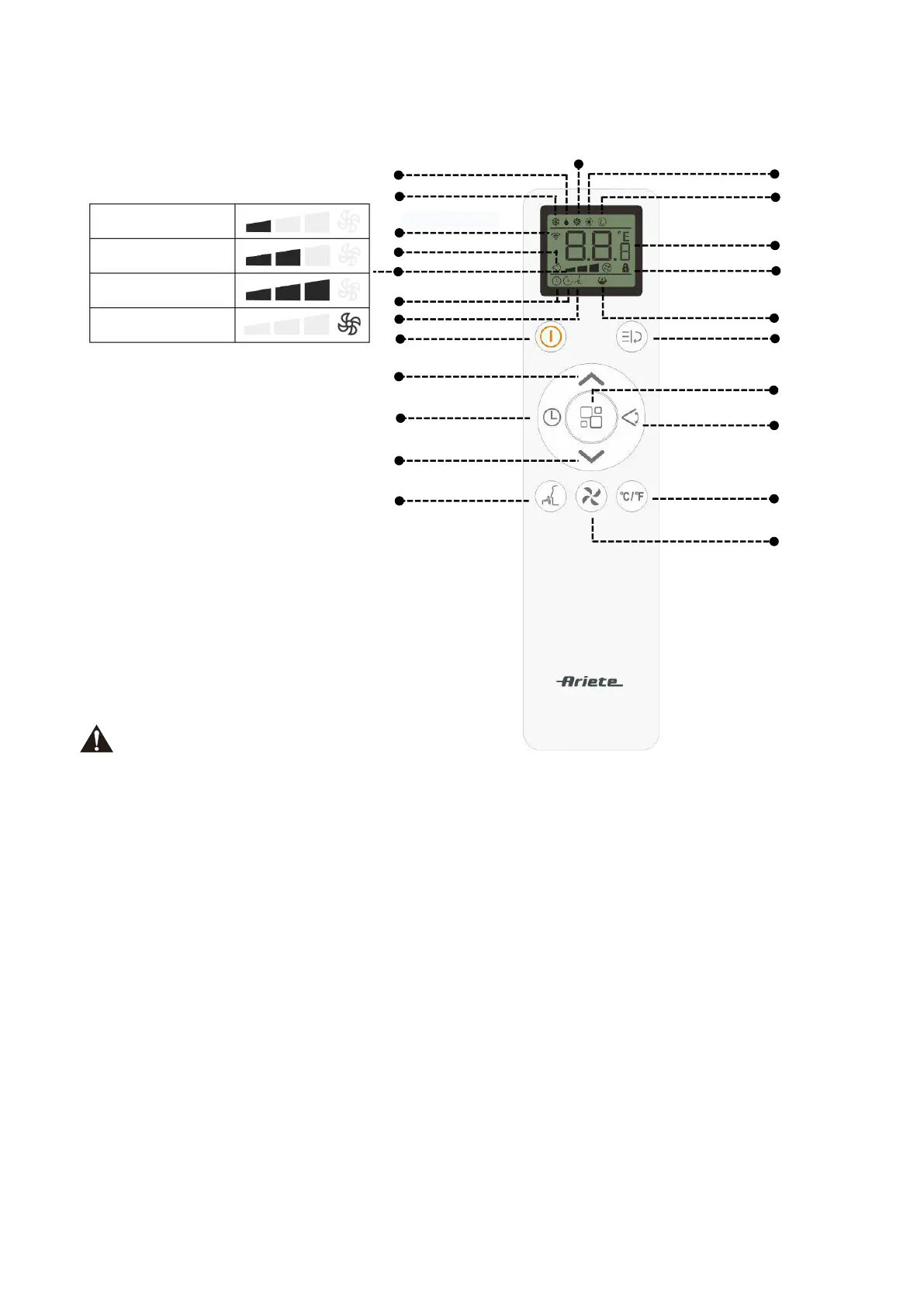
9.OPERATING FROM THE REMOTE CONTROL
FUNCTION BUTTONS & REMOTE LED SCREEN INDICATORS
NOTE
The display and some functions ofthe remote control may vary according to the model.
The shape and position of buttons and indicators may vary according to the model, but their function is the same.
The unit confirms the correct reception of each button with a beep.
There might some functions not fit for your air conditioner, you will hear a beep when you press these buttons, but air
conditioner do not response we express our apologies.
Function Buttons
●On/Off button:Press to Turn ON or OFF the air conditioner.
●Mode button:Each time you press the button Cooling mode,Dry mode,Fan mode,Heating mode,Smart
mode is selected.
NOTE: If the appliance is only cooling model, when choose the heat mode, appliance will turn to FAN mode.
●Increase button: Increases temperature in 1°C (1°F) increments.Also used to set time.
●Decrease button: Decreases temperature in 1°C (1°F) increments.Also used to set time.
●Fan speed button: used to select the Low,Medium,High or Aoto fan speed.
●Function button:Access Follow me and Turbo functions.
●Timer button:Use to set delay start or shut down time.
●Swing button:Activate air swing of the louvers.
●Sleep button:Gradually increase the temperature in Colling mode or decrease the temperature in Heating
Mode.
●℃/℉ selector button:Select Fahrenheit or Celsius.


 To Next Page