7.OPERATING INSTRUCTIONS
Picture are for illustration purpose only.Your model may or may not have all the features
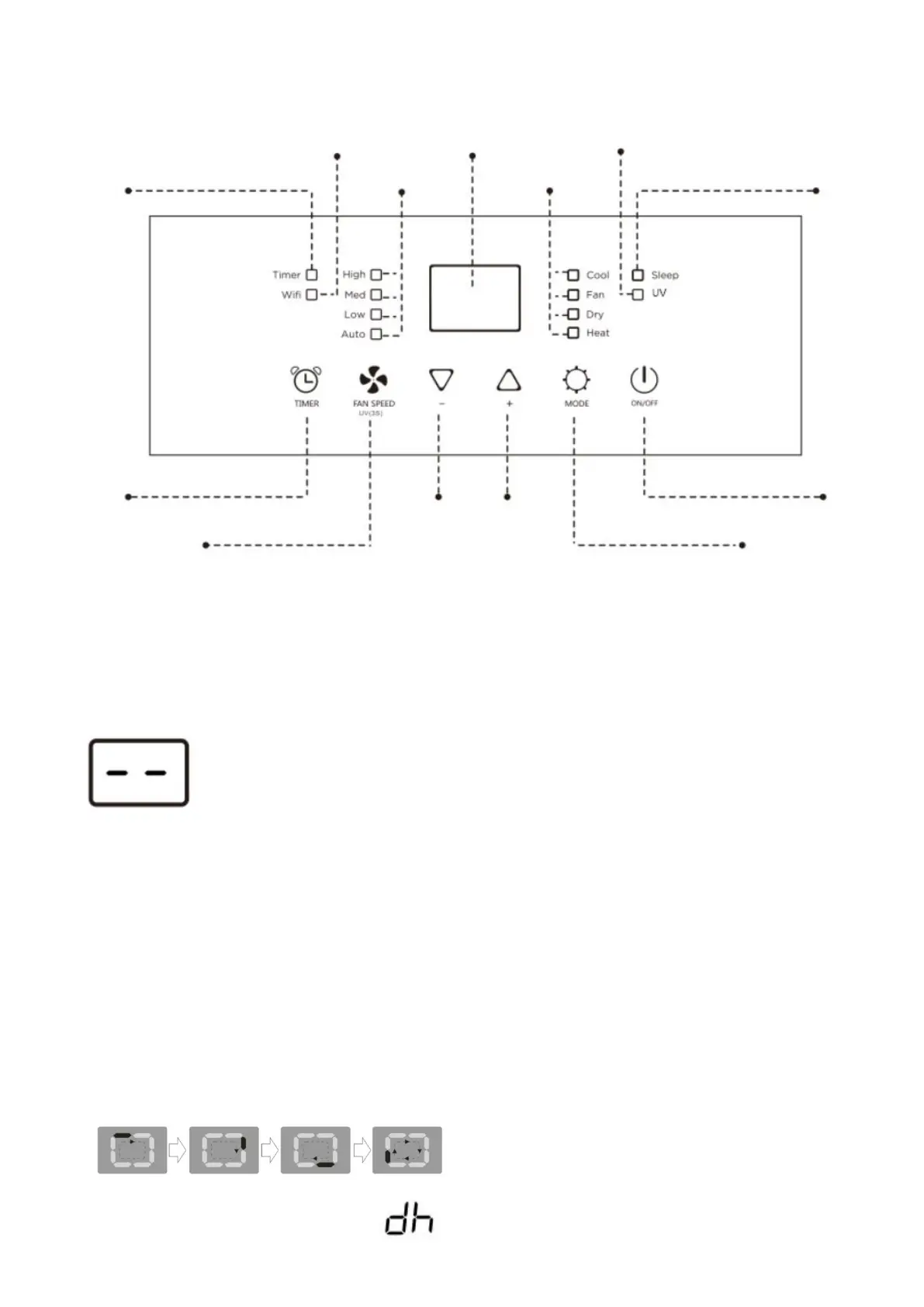
OPERATING FROM THE CONTROL PANEL
The Control Panel enables you to manage all the main functions of the appliance,but to fully exploit its
potential,you must use the remote control.
TURNING THE APPLIANCE ON
●Plug into the dedicated electrical outlet.Two lines appear on the display indicating
that the appliance is in standby.
●Press the ON/OFF button until the appliance comes on.The last function active when it is
was will appear.
●Never turn the air conditioner off by unplugging from the outlet.Always press the ON/OFF
button,Then wait for a few minutes before unplugging.This allows the appliance to perform
a cycle of checks to verify operation.
Note:Before pressing Power On button make sure the condensate drain plug in the rear of
the unit is securely in place to avoid any leaking.
ON/OFF Button
Press the ON/OFF button to turn on or turn off the air conditioner.
Mode Selection Button
Selects the desired operating mode. Each time you press the button, a mode is selected in a sequence that
goes from COOL, DRY, SMART,FAN and HEAT (cooling only models excluded). The mode light illuminates
and indicates the selected mode. When SMART is selected, no lights will illuminate.
NOTE: SMART and DRY mode the LED screen indicates the below.
Fan Speed&UV(3s)
Selection Button
Wi-Fi
Indicator Light
(Optional)
UV
Indicator Light
(Optional)
Selected Mode
Indicator Light


 To Next Page