
 Need help?
Do you have a question about the Arista DCS-7050SX3-48YC8 and is the answer not in the manual?
Lists the main steps required to install and use the switch.
Directs users to essential safety warnings and translated safety guidelines.
Details criteria for choosing an installation location, considering environment and airflow.
Lists necessary tools and parts for switch installation, including accessory kit contents.
Provides guidelines to prevent ESD damage during installation and servicing.
Explains how to mount the switch in a two-post rack using provided brackets.
Details the process of attaching mounting brackets to the switch chassis for rack installation.
Describes how to physically place the switch into the rack after bracket attachment.
Explains how to mount the switch in a four-post rack using slide rails.
Details attaching mounting brackets for four-post rack installation.
Guides on assembling slide rails for four-post rack mounting.
Describes how to secure the switch to the assembled rails in a four-post rack.
 General
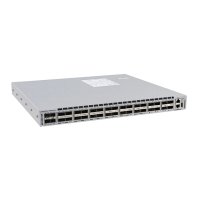
| Model | DCS-7050SX3-48YC8 |
|---|---|
| Manufacturer | Arista Networks |
| Category | Switch |
| Switch Category | Data Center |
| Form Factor | 1RU |
| Software | Arista EOS |
| Ports | 48 x 25G SFP28, 8 x 100G QSFP28 |
| Power Supply | Dual, Hot-swappable |
| Operating Temperature | 0°C to 40°C |
| Dimensions (W x D x H) | 4.45 cm |
| Weight | 7.71 kg (17 lbs) |





 To Next Page