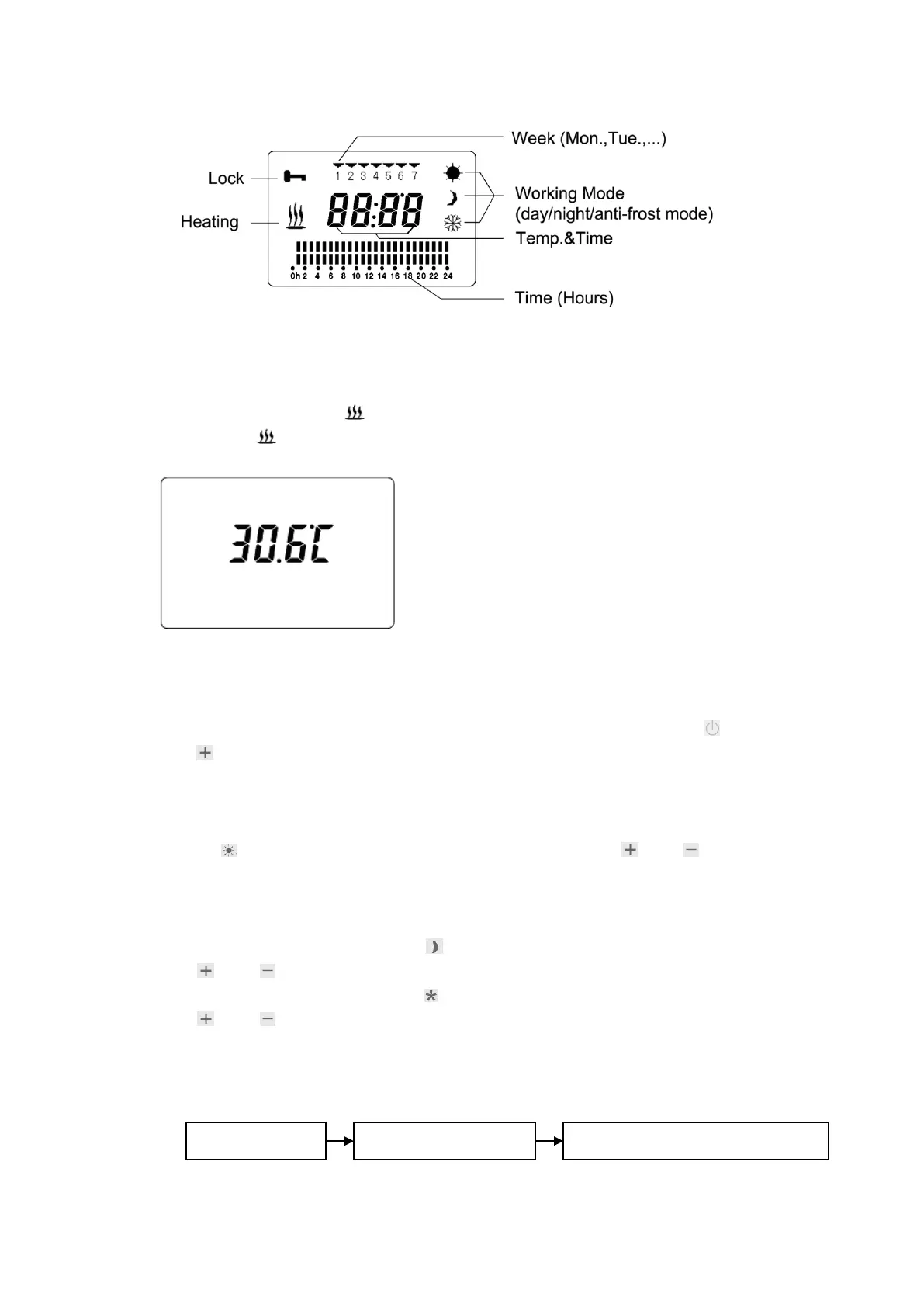
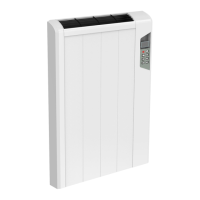
When setting the heater, the display’s background light is blue and after the setting been
finished for 10 seconds, the blue light will be off. The LCD will indicate the room’s temperature
(shown as below) when the heater is under normal working and standby state. When the heater is
heating, the power indicator “ ” will appear on the LCD. When the heater stops heating, the
power indicator “ ” will disappear on the LCD
6. Operation instruction
(1) Turn on: Plug in, and turn the power switch on, the heater will be under the standby state
and the display will indicate the room’s current temperature. By pressing the on/off“ ” and the
plus“ ” button, the heater will begin the heating operation.
(2) Working mode and temperature setting: they can be set when the heater is turned on, and
the button is not locked:
a. Comfort mode (Choose this mode when a relevant high room temperature is needed): Press
the button“ ”to enter into the comfort mode. By pressing the button“ ”or“ ”to regulate
the temperature. When the room’s temperature reaches the set temperature, the heater will stop
heating and when the room’s temperature drops 3 degrees, the heater will start to heat
automatically. The room’s temperature will keep stable at the range of the setting temperature.
b. Economy mode: Press the button“ ”to enter into the economy mode. By pressing the
button“ ”or“ ”to regulate the temperature.
c. Anti-frost mode: Press the button“ ” to enter into the anti-frost mode. By pressing the
button“ ”or“ ”to regulate the temperature.
(3) Programmed operation setting: If you want the heater to run according to the programmed
temperature every day, you need to set the programmed operation first.
The setting sequence is as below:


 To Next Page