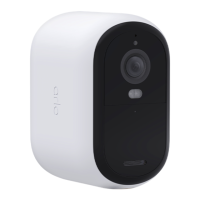
Arlo Essential Series Wire-Free Camera
3Contents User Manual
5. Modes, Rules, and Alerts 26
Arm or disarm all your Arlo devices ............................................................................................... 26
Modes ................................................................................................................................................... 26
Select a mode ..................................................................................................................................... 27
Mute Notications ............................................................................................................................. 27
Rules for modes ................................................................................................................................. 28
Change motion sensitivity ............................................................................................................... 28
Control whether the spotlight turns on when motion is detected .......................................... 28
Use a rule to activate the camera’s siren ....................................................................................... 29
Add a rule with an optional base station siren trigger ............................................................... 29
Manage alerts ..................................................................................................................................... 30
Schedule when your camera is armed .......................................................................................... 30
Set up Arlo Geofencing ..................................................................................................................... 31
Geofencing with multiple mobile devices .................................................................................... 33
Custom modes ................................................................................................................................... 35
6. Change Your Settings 37
Two-step verication ........................................................................................................................ 37
Use face or ngerprint authentication .......................................................................................... 38
Customize your prole ..................................................................................................................... 39
Change your Arlo password ............................................................................................................. 40
Reset a forgotten password ............................................................................................................. 40
Grant access to friends ..................................................................................................................... 41
Change the time zone ....................................................................................................................... 43
Camera settings ................................................................................................................................. 43
Video Settings ..................................................................................................................................... 44
Adjust the audio settings .................................................................................................................. 45
Adjust the icker setting ................................................................................................................... 45
Restart the camera from the Arlo app ........................................................................................... 46
View device information ................................................................................................................... 46
Remove a device from your account ............................................................................................. 46
Optional SmartHub and Base Station settings ............................................................................ 46
7. SmartHub SD Card Storage 49
Insert a microSD card ....................................................................................................................... 49
View the SD card status .................................................................................................................... 50



 To Next Page