14Get Started
Pro 4 Spotlight Camera
User Manual
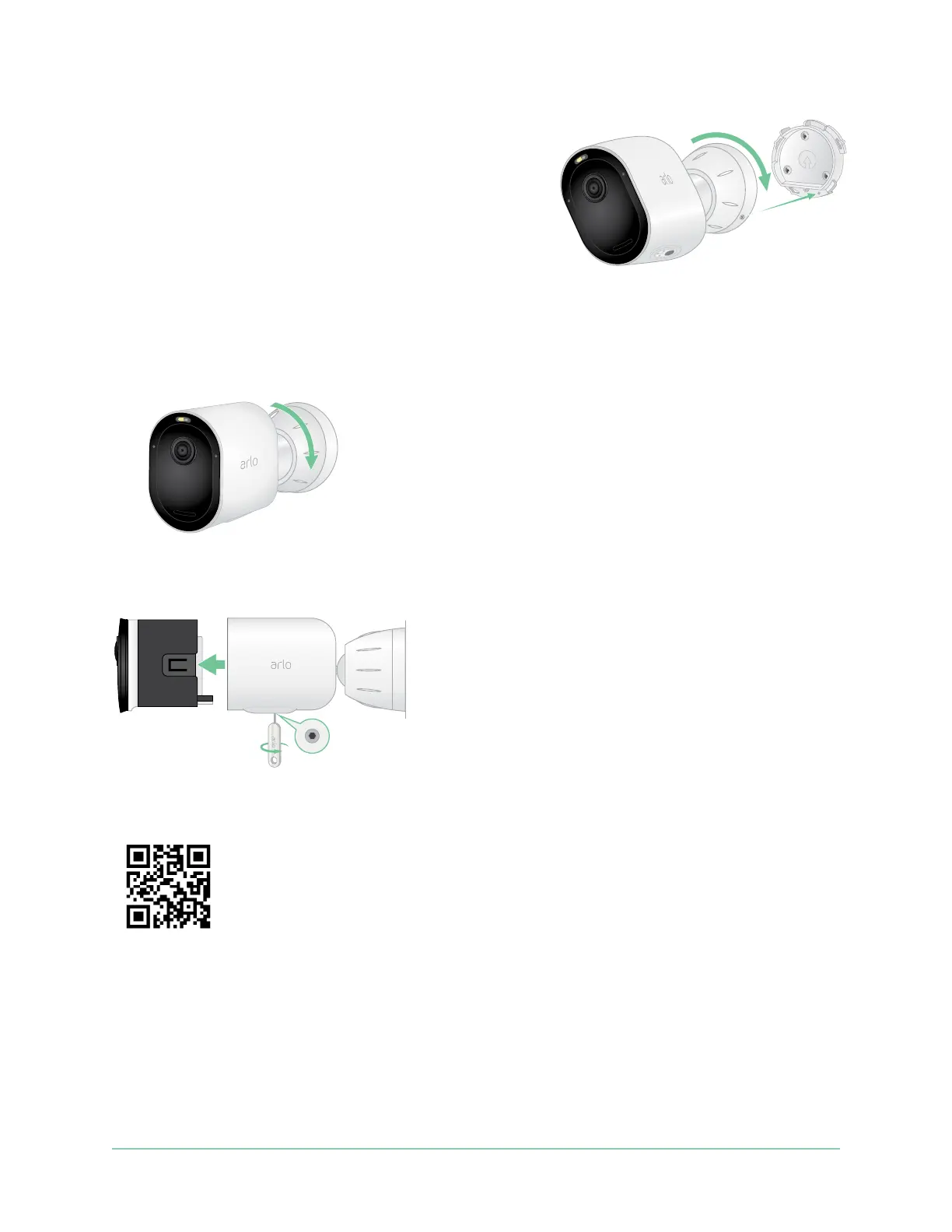
5. To attach the housing to the back plate:
• Align the small screw on the mount and the dot
on the back plate.
• Turn the housing clockwise, until it clicks in
place.
• Use the security key to tighten the small screw.
Note: The security key came in the package with your Total Security Mount.
6. Adjust your camera position, then nger-tighten the mount lock (clockwise) to lock the
camera in position.
Note: To release your camera from the housing, insert the security key in the release button
and turn the key clockwise.
For more information about installing the Total Security Mount, scan this QR code or visit
https://arlo.com/TotalSecurity.



 To Next Page