7
1. Set Up Your System
Setting up your Arlo Pro system involves these steps:
• Insert the battery into your camera.
• Get the Arlo app.
• Connect your base station.
• Get an account.
• Sync your cameras to the base station.
• Place your cameras.
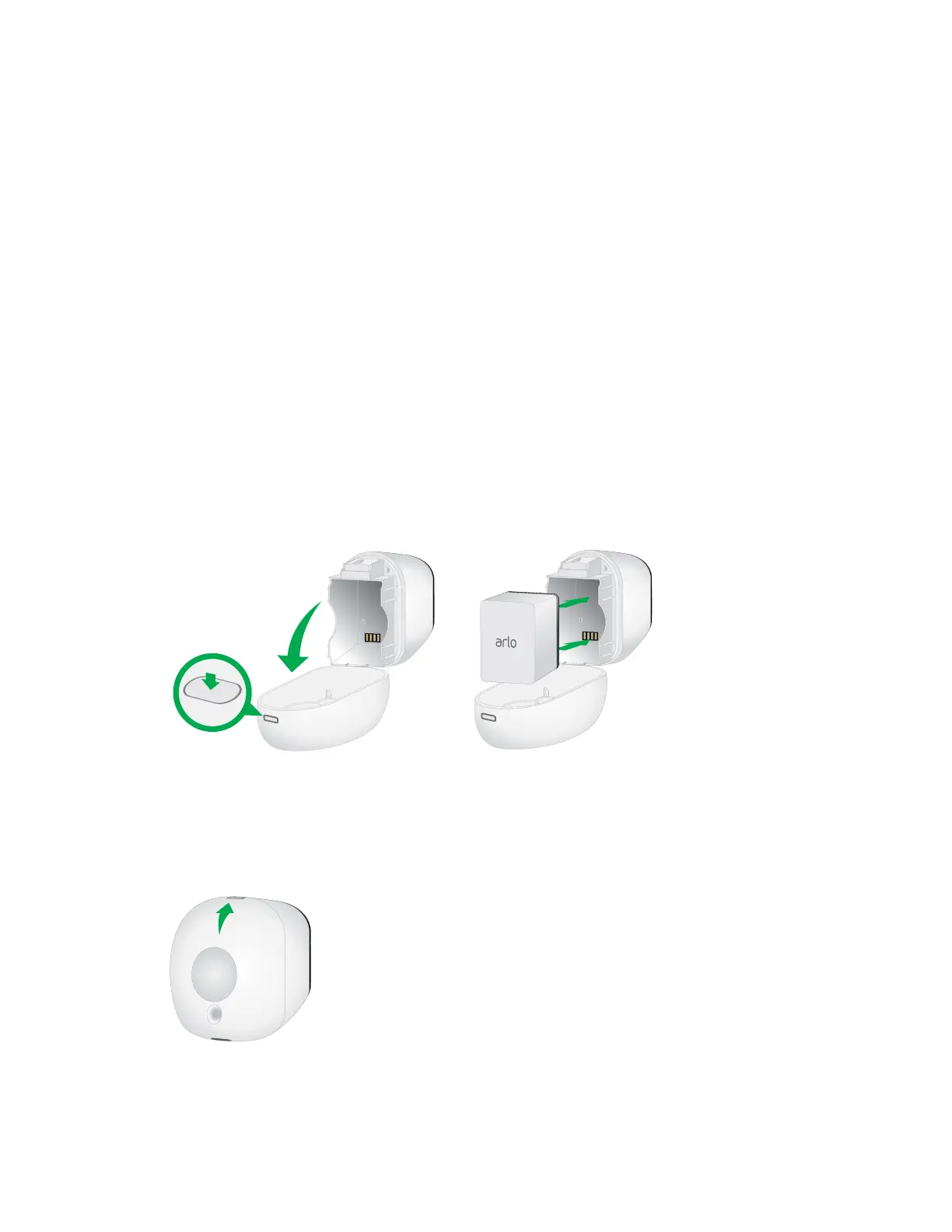
Insert the Battery Into Your Camera
¾ To insert the battery into your camera:
1. Unlock the battery compartment by pressing and holding the latch.
2. Gently pull the battery door back to open the compartment.
3. Align the battery contacts.
4. Insert the battery.
5. Close the battery door.
Note: The Arlo Pro battery is fully charged when it leaves the factory.
For more information, see Safety Rules for Arlo Pro Rechargeable Batteries on
page 83.



 To Next Page