54
Charge Your Arlo Pro Camera
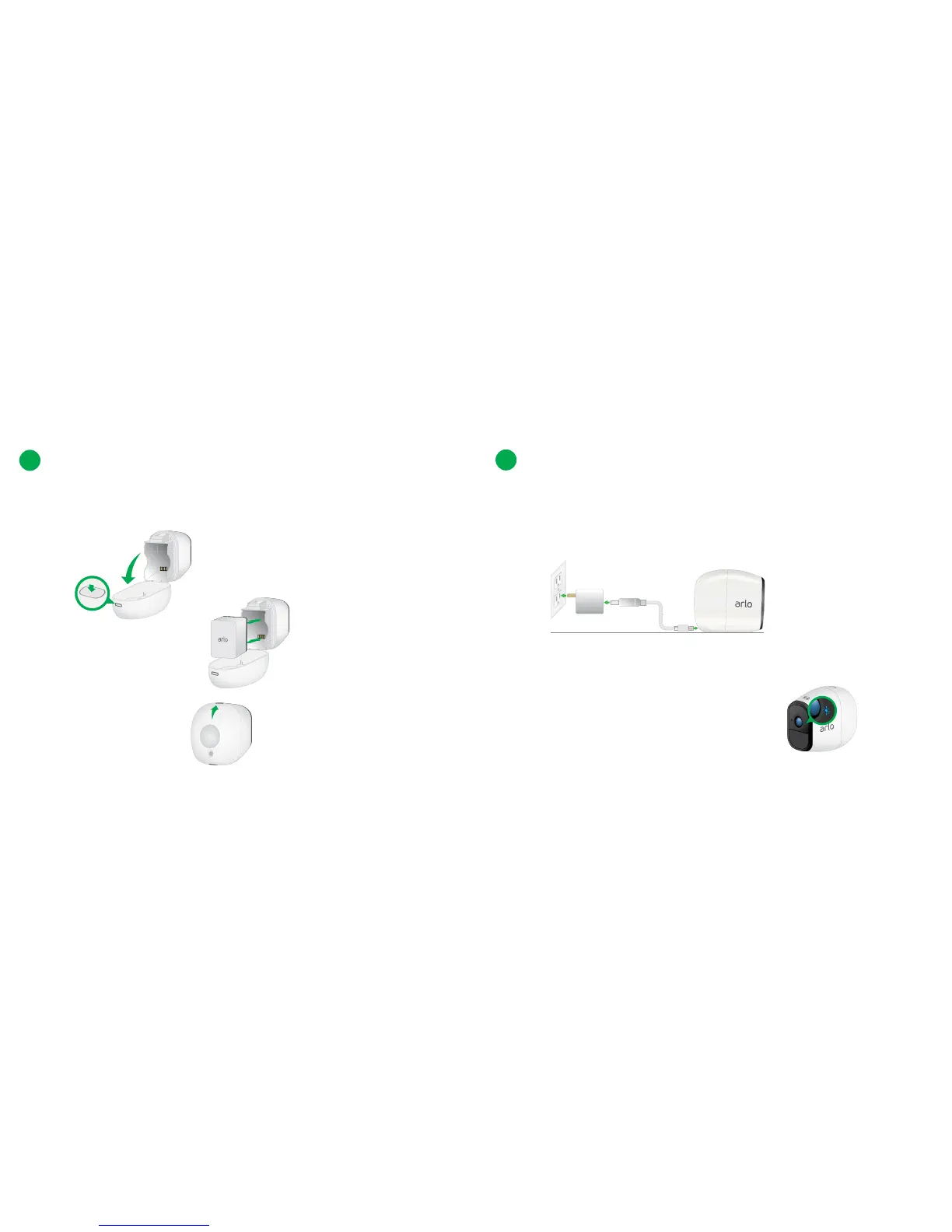
a. Connect the power adapter cable to the camera power adapter.
b. Connect the other end of the adapter cable to the camera.
c. Plug the power adapter into an electical outlet.
Note: The camera LED displays solid blue when the camera batter is fully
charged.
2
a. Unlock the battery compartment by pressing and holding the latch.
b. Gently pull the battery door back to open the compartment.
Insert the Battery Into Your Camera
1
c. Insert the battery.
d. Align the battery contacts
e. Close the battery door.



 To Next Page