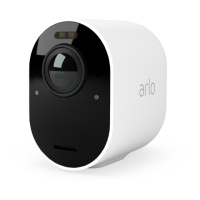
27Arlo Ultra Basics
Ultra Series 4K UHD Wire-Free Security Camera System
User Manual
2. Tap Settings > My Devices.
3. Select the camera.
4. Under VIDEO, tap Activity Zones.
5. Tap +.
An activity zone box displays in the camera feed image.
6. Move the zone to the desired position in the camera feed image.
7. To change the size or shape of the zone, drag the 8-points on the edges of the zone.
8. To reposition the zone, tap and hold the zone and move it.
9. To customize the zone name, tap Edit
and enter a name.
If you’re using a web browser, click > next to the zone name.
10. Tap Save.
Change an activity zone
1. Open the Arlo app.
2. Tap Settings > My Devices.
3. Select the camera.
4. Under VIDEO, tap Activity Zones.
5. Tap a zone to select it.
6. Move the zone to the desired position in the camera feed image.
7. To change the size or shape of the zone, drag the 8-points on the edges of the zone.
8. To reposition the zone, tap and hold the zone and move it.
9. To customize the zone name, tap Edit
and enter a name.
If you’re using a web browser, click > next to the zone name.
10. Tap Save.
Delete an activity zone
1. Open the Arlo app.
2. Tap Settings > My Devices.



 To Next Page