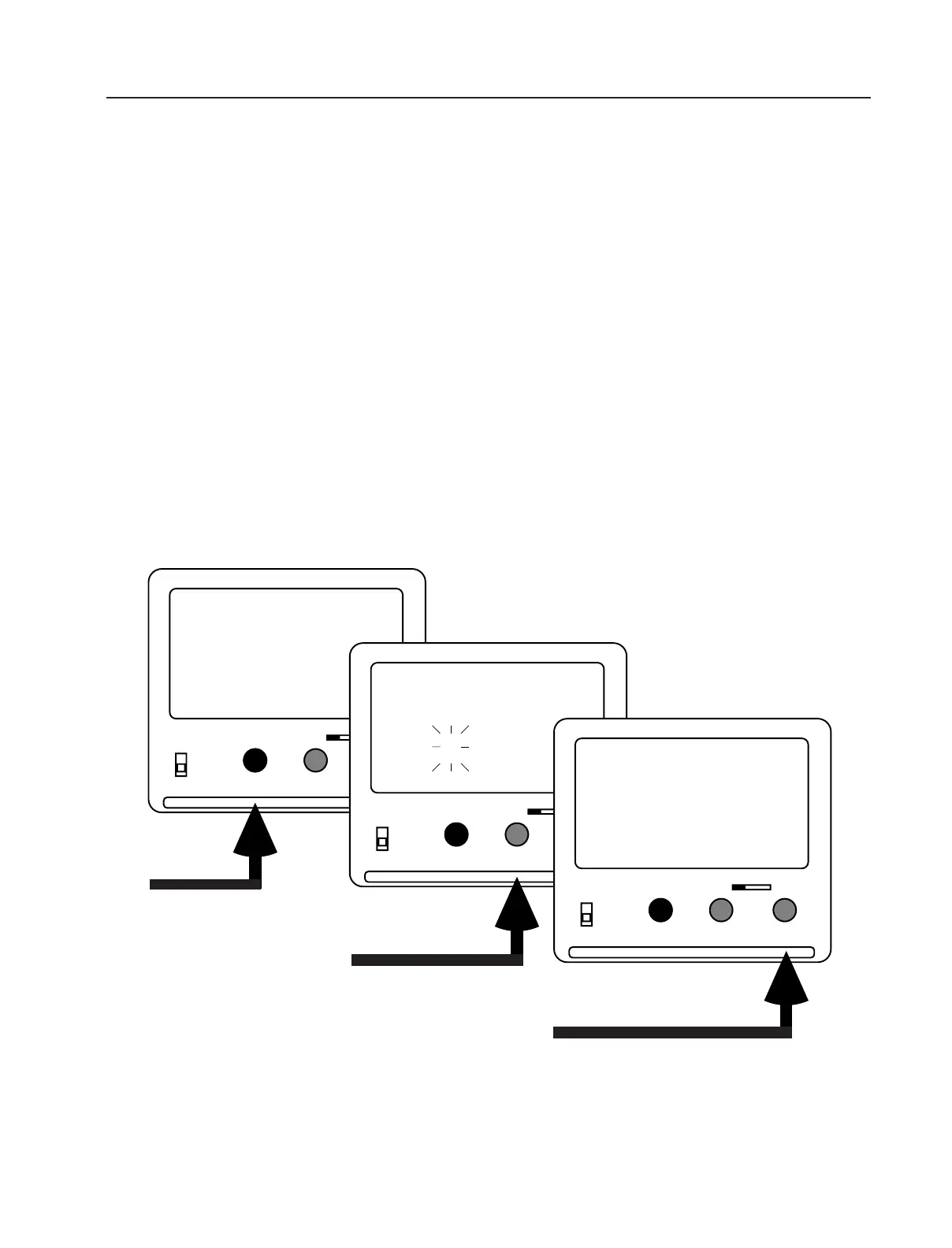
When the NORM - PS/CCU switch is in the NORM position, the camera can run at the standard speeds of
24, 25, 29.97 and 30 fps. In the PS/CCU position, any speed from 5.000 to 75.000 fps can be achieved
on the 16SR 3 (5.000 to 150.00 fps on the 16SR 3 HS). All speeds set on the camera are crystal speeds.
Setting a Standard Speed (NORM)
• Set the NORM - PS/CCU switch to NORM. Ensure that the locking slider is in the unlocked (left) position.
• Make sure the LCD display is in mode 1.
• Push the SEL button to cycle through the available standard speeds (24, 25, 29.97 and 30 fps). Each
speed will flash for approximately 3 seconds.
• While the desired speed is flashing, push the SET button to set the speed.
Setting a Programmable Speed (PS)
• Set the NORM - PS/CCU switch to PS/CCU. Ensure that the locking slider is in the unlocked (left) position.
• Push the MODE button once to change from mode 1 to mode 2 ("PS" - programmable speed).
• Press the SEL button to select one digit after the other. A selected digit will blink. Press the SET button to
increment the value of a flashing digit by one. Repeat this procedure for all digits that need to be changed.
A final confirmation of the set speed is not necessary.
The display will show full frame speed plus three digits past the decimal point. The 1/1000 th of a fps
(1/100th for speeds over 99 fps) is shown in the upper right-hand corner of the display.
6. Changing Fps
Arriflex 16SR 3 Quick Guide, 4/99, Page 11
• Make sure that the locking
slider is unlocked.
• Move the NORM - PS/CCU
switch to the PS/CCU
position.
• Push the MODE button
once.
• Push the SEL button once.
The first digit will start
flashing.
• Push the SET button to change the
value of the flashing digit.
• Then push the SEL button again to
move to the next digit, and so on.


 To Next Page