EasyManua.ls Logo

Arris DOCSIS 3.0 SURFboard SB6141 - User Manual

Arris DOCSIS 3.0 SURFboard SB6141
32 pages
Print Icon
To Next Page IconTo Next Page
Loading...
SB6141
DOCSIS® 3.0 Cable Modem
User Guide

Questions and Answers

  • C
    Christopher YoungJul 27, 2025
    Why can't I access the internet with my Arris Modem?
    • R
      Robert ChavezJul 27, 2025
      If you're unable to access the internet with your Arris Modem, ensure that all cable and power connections on both your modem and computer are correctly and securely connected. Also, verify that the Power and Online LED icons on the front panel of the modem are illuminated steadily.
  • Z
    Zachary SinghAug 5, 2025
    What to do if Arris Modem cannot send or receive data?
    • K
      Kelly GarciaAug 6, 2025
      If your Arris Modem is unable to send or receive data, try the following: 1. Check and tighten the coaxial cable connections at both the modem and the wall outlet. 2. Ensure the Ethernet cable is properly connected to both the modem and your computer. 3. If you have cable television service, check your television to ensure your cable service is operating properly. 4. Check the status of the LED icons on the front panel to identify the problem.
  • D
    Derek ReyesAug 16, 2025
    How to fix Arris DOCSIS 3.0 SURFboard SB6141 if the power LED is off?
    • D
      davidlivingstonAug 16, 2025
      If the power LED icon on your Arris Modem is off, take these steps: 1. Check the power connection from the modem to the electrical wall outlet. 2. Make sure the electrical wall outlet is working. 3. If the outlet is controlled by a light switch, disconnect the modem's power cord and connect it to an outlet that isn't controlled by a switch.

Summary

Safety and Regulatory Information

Important Safety Instructions

Essential precautions for safe operation and installation of the device.

FCC Statements

Details on FCC compliance, interference, and radiation exposure.

Industry Canada (IC) Statement

Canadian regulatory compliance and radiation exposure information.

Caring for the Environment by Recycling

Guidelines for environmentally responsible disposal and recycling of ARRIS equipment.

Getting Started

Introduction

Overview of the ARRIS SURFboard SB6141 cable modem and user guide purpose.

In the Box

Lists the items included in the SB6141 package contents.

Additional Item(s) Needed (Not Included)

Lists essential items not included in the package that must be purchased separately.

System Requirements

Outlines the necessary system requirements for using the SB6141.

Contact Information

Provides contact details for ARRIS technical support and product information.

Product Overview

Front Panel

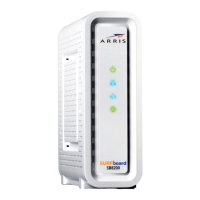
Details the front panel interface, including LED indicators and their meanings.

Rear Panel

Describes the rear panel, including ports and connectors for various connections.

Cable Modem Label

Explains the information found on the cable modem's label, useful for support.

Installing the Cable Modem

Connect the SB6141 to Your Computer

Step-by-step instructions for physically connecting the SB6141 to a computer.

Establish an Internet Connection

Guides on activating and establishing an internet connection after physical setup.

Wall Mount the SB6141

Provides instructions and considerations for mounting the SB6141 unit onto a wall.

Wall Mounting Template

Presents the template and measurements for drilling holes for wall mounting the SB6141.

Using the Cable Modem Web Manager

Start the SB6141 Web Manager

Instructions on how to access and launch the SB6141's web-based management interface.

SB6141 Web Manager Screen Options

Describes the various buttons, links, and screen options available within the web manager.

Get Help

Explains how to access help information for troubleshooting and resolving issues within the web manager.

Exit the SB6141 Web Manager

Instructions on how to properly log out and close the SB6141 Web Manager interface.

Monitoring Your Cable Modem and Connected Network

View the SB6141 Cable Modem Status

Guides on viewing the startup status and channel connections of the SB6141.

View the SB6141 Product Information

Explains how to view product details, including serial and MAC addresses, via the Addresses screen.

View the SB6141 Event Log

Describes how to access and view the event log for diagnostic purposes.

View the SB6141 Cable Modem Configuration

Details how to view the SB6141's network connection configuration settings.

Reset the SB6141 Configuration Settings

Provides steps to reset the SB6141 to its factory default configuration settings.

Restart the SB6141

Instructions on how to reboot or restart the SB6141 cable modem.

Troubleshooting Tips

Solutions

Offers solutions to common modem problems like power issues and connectivity failures.

Front Panel LED Icons and Error Conditions

Explains the meaning of front panel LED indicators and associated error conditions.

Warranty Information

Retail Purchasers

Details the limited warranty provided to direct retail purchasers of the SB6141.

Cable Operator or Service Provider Arrangements

Explains warranty coverage for products obtained through cable operators or service providers.

General Information

Covers general warranty exclusions, limitations, and ARRIS's responsibilities.

Arris DOCSIS 3.0 SURFboard SB6141 Specifications

General IconGeneral
DOCSIS Version3.0
Downstream Channels8
Upstream Channels4
Max Download Speed343 Mbps
Max Upload Speed131 Mbps
Ethernet Ports1
Product TypeCable Modem
Compatible ISPsComcast, Cox, Spectrum

Related product manuals