Copyright 2017 – ARRIS Enterprises Inc. All rights reserved.
5. Manually Tune, to gain Signal lock
Select Quick Install from the Main Menu by pressing the OK button with Quick Install highlighted.
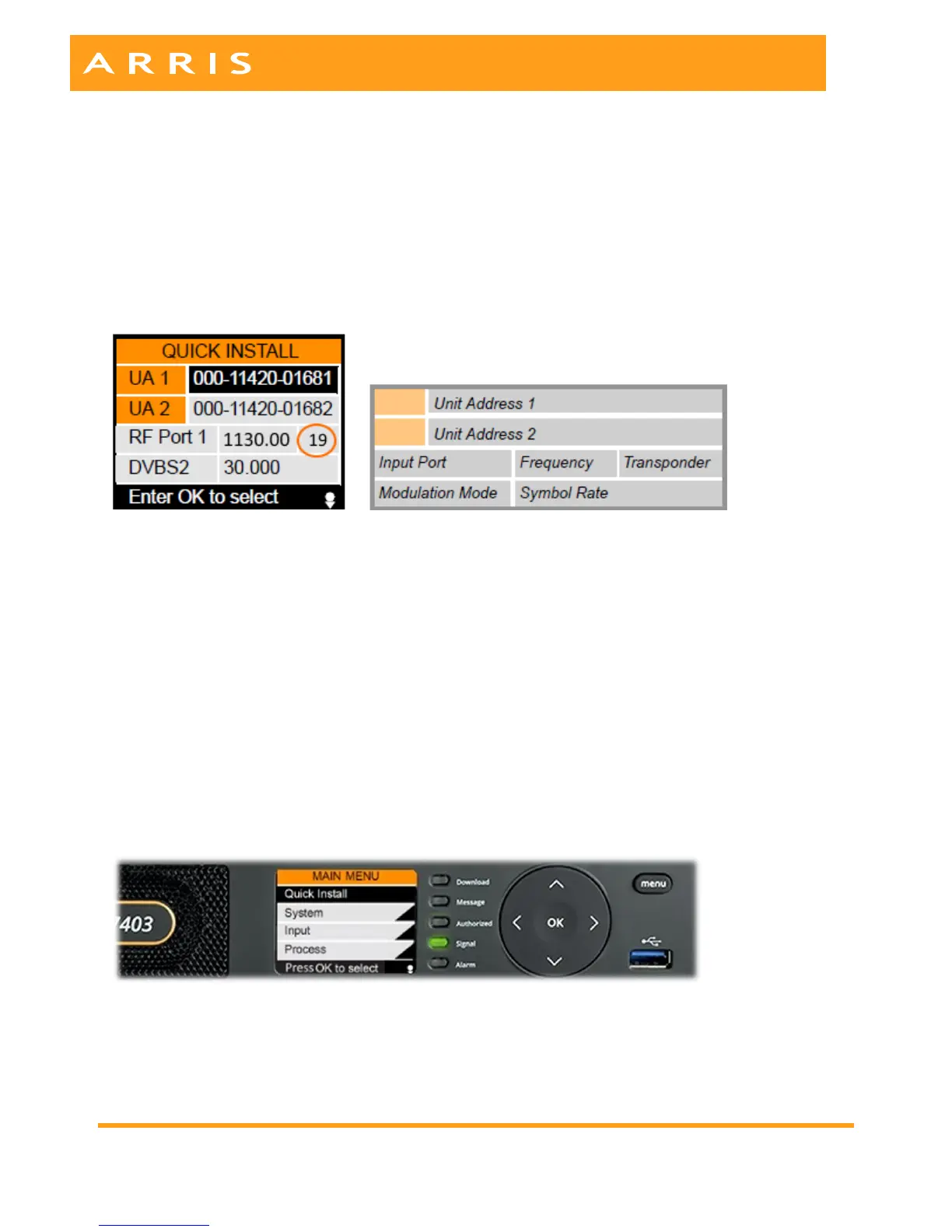
The following information will be presented.
The first 2 lines are read only and show the Unit Addresses for your receiver. Write down these
addresses for use in the next step: 6. Authorization.
Lines 3 and 4 are used to configure your receiver to acquire the appropriate satellite signal.
Set and verify the following fields, also shown in the picture above.
Input Port – RF Port 1 if you’re taking East Coast feeds or East and West Coast feeds. Port 2 should be
tuned if taking only West Coast feeds.
Transponder – 19 for Galaxy 15 (East Feeds) or Transponder – 8 or 16 for Galaxy 14 (West Feeds).
Frequency should automatically display: 1070.00 (Galaxy 15 T-19: East Feeds), 1130.00 (Galaxy 14 T-16:
West Feeds) or 1290.00 (Galaxy 14 T-8: West Feeds)
Input Port – RF Port 1
Modulation Mode – DVBS2 (default)
Symbol Rate – 30.00 (default)
Note: Even when using multiple RF ports, only the first port needs to be defined in this menu.
Signal Acquisition
In a moment the Signal light will turn green indicating that the satellite signal has been acquired. If you
are unable to acquire a signal call ARRIS Technical Support at 888.944.4357 for assistance.


 To Next Page