EasyManua.ls Logo

Arris VIP2262 - User Manual

Arris VIP2262
32 pages
Print Icon
To Next Page IconTo Next Page
Loading...
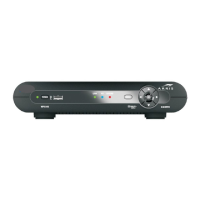
VIP2262
IP TV Set-top Box
Installation Guide
593630-001-c
03/2014

Questions and Answers

  • N
    Nicole BergerJul 27, 2025
    Why is there no audio when viewing TV channels on my Arris Receiver?
    • A
      Ashley MathisJul 27, 2025
      If you're not hearing any sound while watching TV channels, there are several things to check: * Ensure the Mute button on your Arris Receiver remote hasn't been activated. Press it to restore the sound. * If connected to a TV, make sure the TV's Mute button isn't on. * For home theater setups, confirm the receiver is on the correct input and isn't muted. * Verify you're using the correct audio cables and that they are securely connected between the Arris Receiver and your TV or home theater receiver.
  • J
    Jennifer NguyenAug 5, 2025
    What to do if the Arris Receiver remote control does not work?
    • P
      Peggy Mccoy MDAug 5, 2025
      If your Arris Receiver remote isn't working, try these steps: 1. Make sure your TV is powered on. 2. Confirm the remote is set to IPTV Receiver (Set-top Box) mode. 3. Remove any obstructions between the remote and the Arris Receiver. 4. Aim the remote directly at the receiver's front panel. 5. Ensure you are close enough and not at too wide of an angle. 6. Press the buttons firmly and deliberately, one at a time. 7. Try changing channels using the buttons on the Arris Receiver itself. 8. Check and replace the remote's batteries if needed.
  • B
    Benjamin HebertAug 15, 2025
    How to fix an Arris Receiver that will not power on?
    • S
      Steven SawyerAug 15, 2025
      If your Arris IPTV Receiver isn't turning on, try the following: * Check that the power adapter is properly connected to both the receiver and a working AC outlet. * Unplug the receiver, plug it back in, and then press the POWER button. * If the receiver is connected to a switched outlet, ensure that the switch is turned on. * Try pressing the POWER button on the receiver's front panel instead of using the remote. * Also, verify that the batteries in the remote control are not depleted.

Summary

Important Safety Instructions

Positioning and Ventilation Guidelines

Introduction

Overview and Front Panel Features

Rear Panel Components

Connecting Your IPTV Receiver

Connection Options

Explains the available video output options for connecting the VIP2262 to TVs.

HD Cabling Examples

Illustrates simple and direct cabling diagrams for HDTV reception using HDMI.

Connecting to an HDTV - Video Only

Connecting to an HDTV - Audio Only

Connecting to a Standard-Definition Stereo TV

Troubleshooting

Regulatory Information

Open Source Attributions

Arris VIP2262 Specifications

General IconGeneral
Video FormatsMPEG-2, MPEG-4
Audio FormatsDolby Digital
Recording TimeNot applicable
Video OutputHDMI, Composite
Audio OutputHDMI, Optical, RCA
Tuner TypeQAM, ATSC
Power Supply12V DC
ConnectivityEthernet
TypeSet-top box
Output Resolution1080i

Related product manuals