UNI-D1 UNI-D2
Property of nbn
Please do not remove
Reset
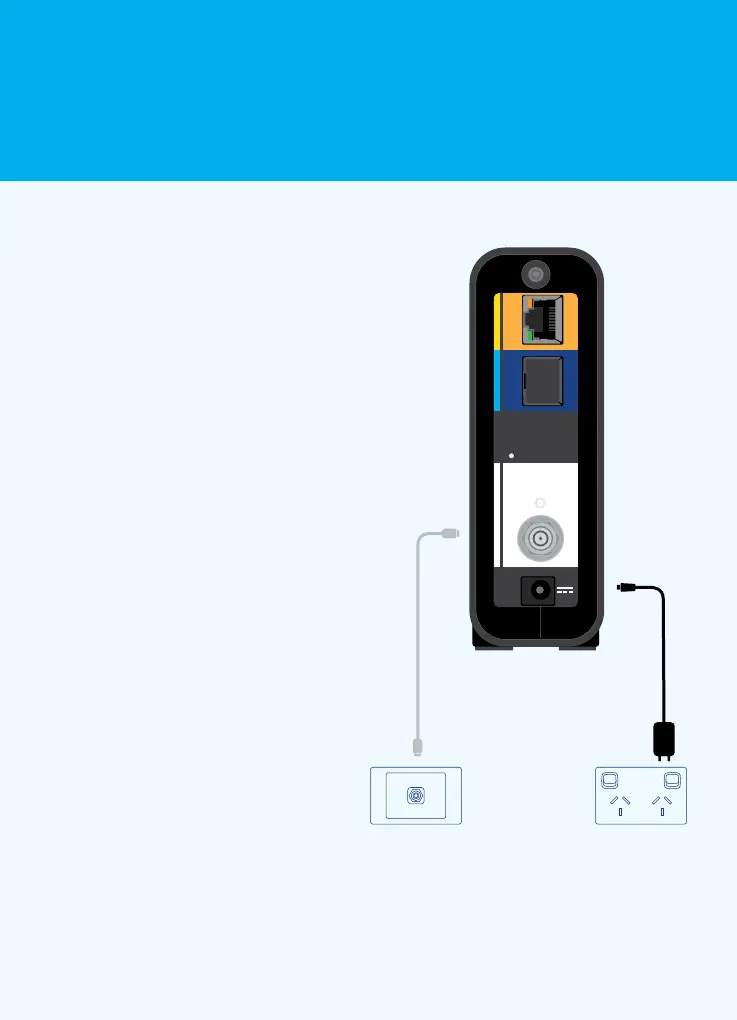
To connect your nbn
™
connection
box to the coaxial wall outlet:
1. Screw one end of the white
coaxial cable into your coaxial
wall outlet and the other end
to the corresponding white
panel on the back of the
nbn
™
connectionbox
2. Plug one end of the black power
adaptor into the corresponding
black socket on the nbn
™
connection box and the other
end to a power outlet
Back panel
Connect your nbn
™
connection box
2
Connecting to the nbn
™
network 6













 To Next Page