You’re ready to power up your nbn
™
connection
box. To do this:
1. Turn on your nbn
™
connection box by
switching on the power at the wall (there is
no power switch on the nbn
™
connection box)
2. Allow up to 10 minutes for your nbn
™
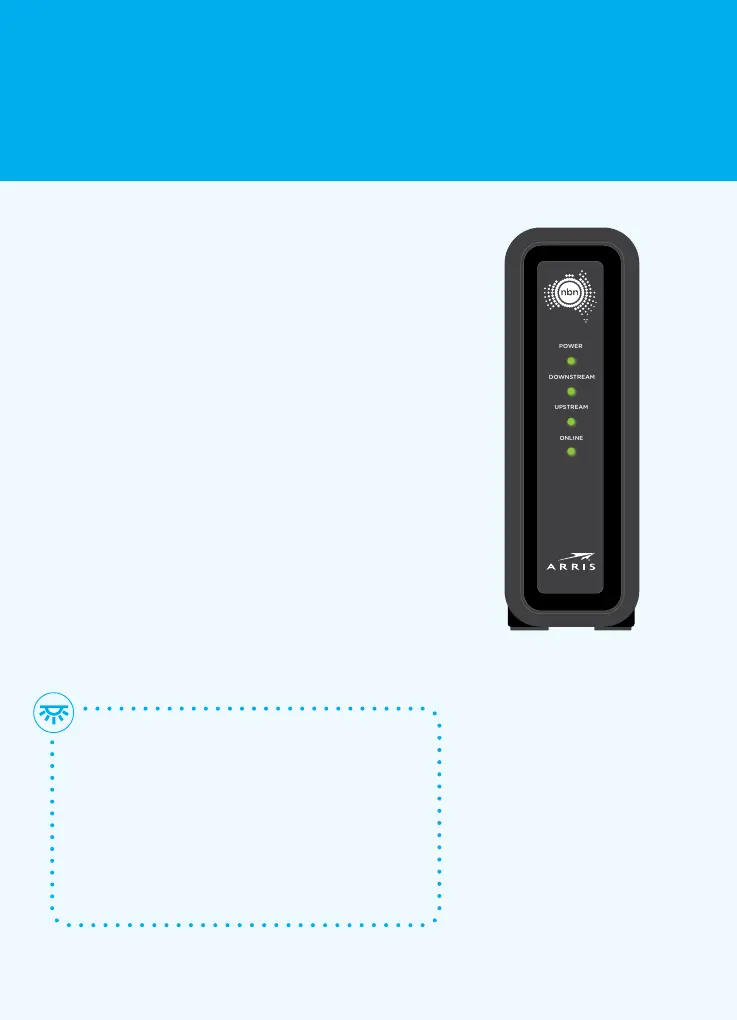
connection box to start up – the front
panel lights Power,Downstream, Upstream
andOnline will flash (see Section 5 on
pages 9 and 10 for details)
3. When all four lights on the front of the
nbn
™
connection panel light up solid green,
your nbn
™
connection boxis working
4. Stick the nbn
™
coaxial wall outlet sticker onto
the coaxial wall outlet connected to your
nbn
™
connection box to help you identify it
in the future. You’re nowready to move on
to Section 4
Front panel
POWER
DOWNSTREAM
UPSTREAM
ONLINE
CM8200
No greenlights?
Check that the coaxial cable is connected
to the coaxial wall outlet securely.
If it is, try connecting your nbn
™
connection box to another coaxial wall
outlet. If you still don’t get solid green
lights, contact your service provider.
3
Power up your nbn
™
connection box
7 Connection without pay TV or existing cable internet













 To Next Page