1. System Configuration
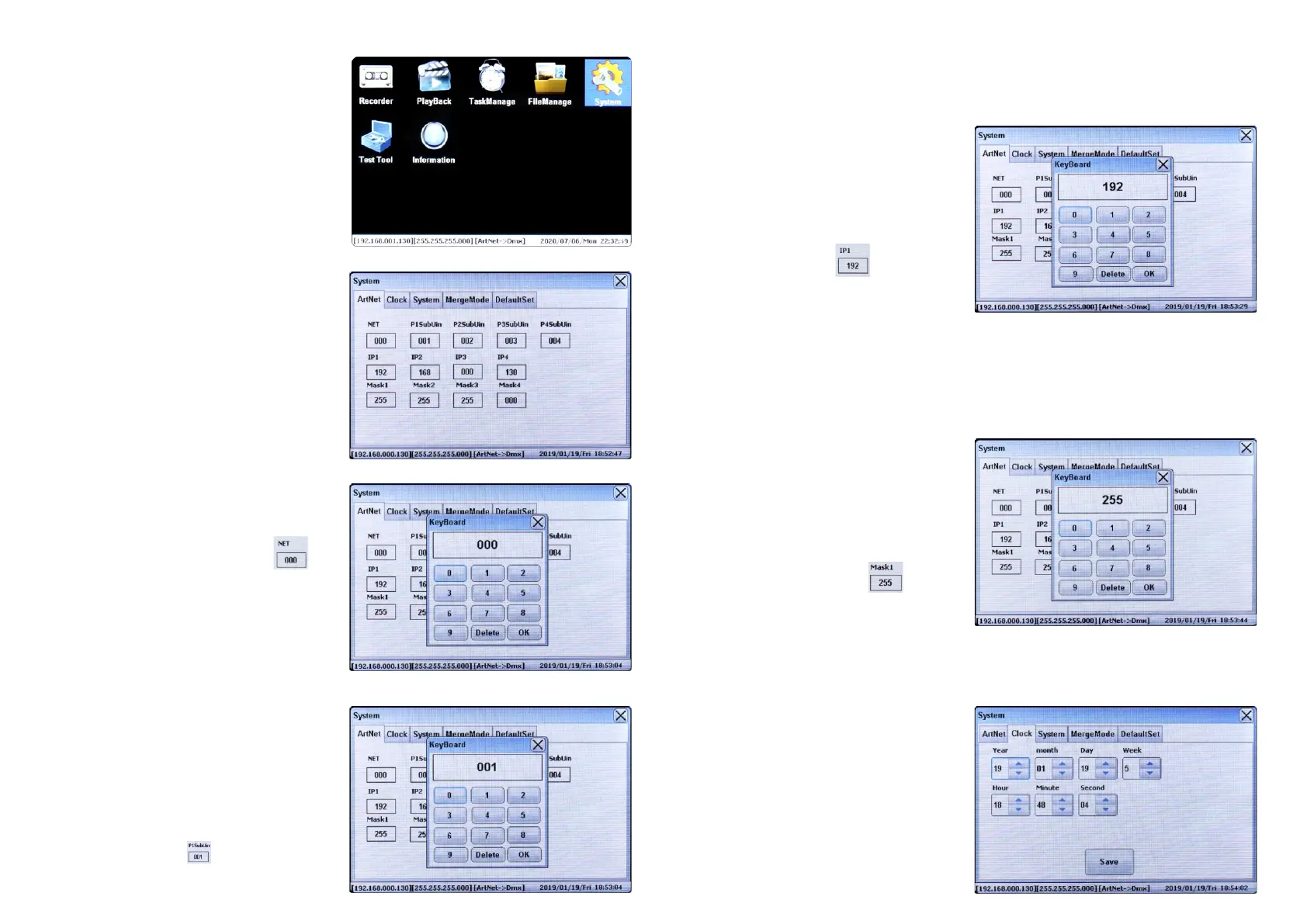
First we should start with the System configuration, short
touch the System icon on the screen using the touch
control pen to enter into System Configuration window as
follows:
The 1st tab is “ArtNet”, which is to configure the Net,
Subnet, IP address settings, and assign the Art-Net™
universes to the 4 DMX ports.
A group of 256 consecutive Universes is referred to as a
net. There are 128 Nets in total.
Set NET
Short touch the number in the box under NET , the
key board window will pop up as follows, input numbers on
the key board to set the net number, the available net
number range is 0-127. Once set, touch OK on the key
board. Then close the System configuration window to
confirm and save the setting.
number in the box under IP1-IP4 the key board
window will pop up as follows, input numbers on the key
board to set the IP address, the address (the format is
IP1.IP2.IP3.IP4) can be set from 000.000.000.000 to
Set IP Address
The Art-Net™ protocol can operate on either a DHCP
managed address scheme or using static addresses. When
DHCP is set as “ON”, the addressing and subnet masks
will be modified as dictated by the DHCP server. Only
when DHCP is set as “OFF”, we can set static address.
The IP1-IP4 is to set manual IP address. Short touch the
The Art-Net™ protocol can operate on either a DHCP
managed address scheme or using static addresses. When
DHCP is set as “ON”, the addressing and subnet masks
will be modified as dictated by the DHCP server. Only
when DHCP is set as “OFF”, we can set Mask manually.
The Mask1-Mask4 is to set Net Mask. Short touch the
number in the box under Mask1-Mask4 the key
board window will pop up as follows, input numbers on the
key board to set the Net Mask, the Net Mask (the format is
Mask1.Mask2.Mask3.Mask4) can be set as
Set Masks
255.255.255.255 after set IP1-IP4 respectively. Once set, touch OK on the key board. Then close the System
configuration window to confirm and save the setting.
255.000.000.000, 255.255.000.000 or 255.255.255.000 after set Mask1-Mask4 respectively. Once set, touch OK on the
key board. Then close the System configuration window to confirm and save the setting.
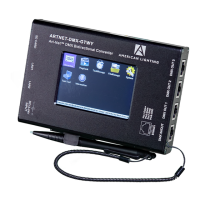
Connect the Converter and power on, you will get the configuration
menus on the LCD screen home page as follows:
The Converter’s TaskManage function allows you to create up to
10 scheduled tasks which will play the chosen recorded programs
based on the frequency of day or week. Each scheduled task
allows you to choose up to 10 recorded programs. The play mode
can be SinglePlay or LoopPlay.
The Converter’s Recorder function allows you to record
programs such as color sequences that are programmed
and played by a Art-Net supported PC software or DMX
console and save them to the SD card.
Set Universes
The P1SubUin-P4SubUin is to assign Art-Net™ universes
to the 4 DMX Out ports. Short touch the number in the box
under P1SubUin-P4SubUin , the key board window
will pop up as follows, input numbers on the key board to
set the Universe number, the available Universe number
A single DMX512 frame of 512 channels is referred to as a
Universe. Each Net has 256 consecutive Universes. A
theoretical limit of 32,768 universes exists in the Art-Net™
4 specification.
range is 1-255. Once set, touch OK on the key board. Then close the System configuration window to confirm and save
the setting.
Touch the scroll up or down menu under Year, month, Day,
Week, Hour, Minute and Second to set the time. Once set,
touch the “Save” button to save the setting. The converter
is designed with built-in RTC which ensures its system time
will be still up to date in the event of power failure.
The 2nd tab on System configuration window is
“Clock”, which is to set system time
Set Clock


 To Next Page
 Loading...