6
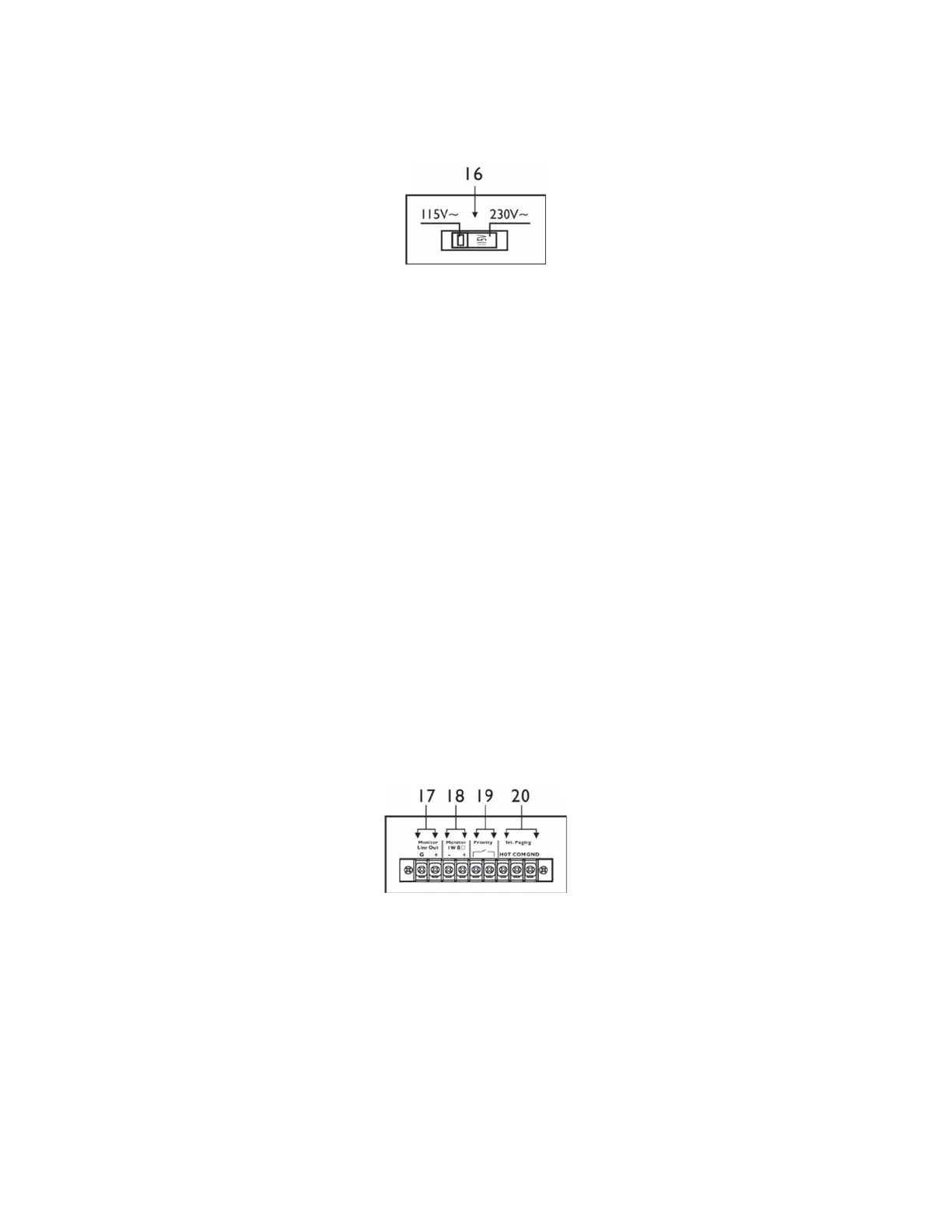
16. AC Voltage Selector
When the AC voltage selector is set to the left 115V, the unit accepts AC input voltages from 100V to
127VAC. When the AC voltage selector is set to the right 230V, the unit requires an AC input voltage
between 220V to 240V.
17. Monitor Line Out
The Monitor Line Out terminals (Barrier strip) can be connected to other equipment, such as an amplifier
or recording devices.
18. Monitor Low Z Output
The terminal is meant for the connection of a small external loudspeaker that is driven by an internal
auxiliary power amplifier, providing a nominal output 1 Watt.
Only the mixed audio signal coming from the “AUX IN” are included in the output signal.
In addition, the output signal is controlled only by the volume control of “CH4”, “CH5”, audio signal level
control.
19. “Priority” Terminal
When these terminals are shorted (i.e., by means of using an electrical switch), the audio signals
coming from “CH2” thru “CH5” inputs are attenuated, while the audio signal coming from “CH1, is set
as the priority. This terminal is not functional if the internal jumper has be adjusted to defeat the CH1
ducking feature.
20. Input “Tel Paging”
The connection of these terminals will allow you to connect to an auxiliary telephone signal. The input
features a “Voice Priority” function which overrides all other input signals. This feature allows the signal
from the phone input to be present on any the zones that are selected using the dip switches located
on the rear of the unit. The signals coming from any of the other input sources will be attenuated if that
zone has been selected via the dip switch. This feature works independently from the rear priority and
CH1 ducking features.



 To Next Page