4746
USING THE AUDIO cont.
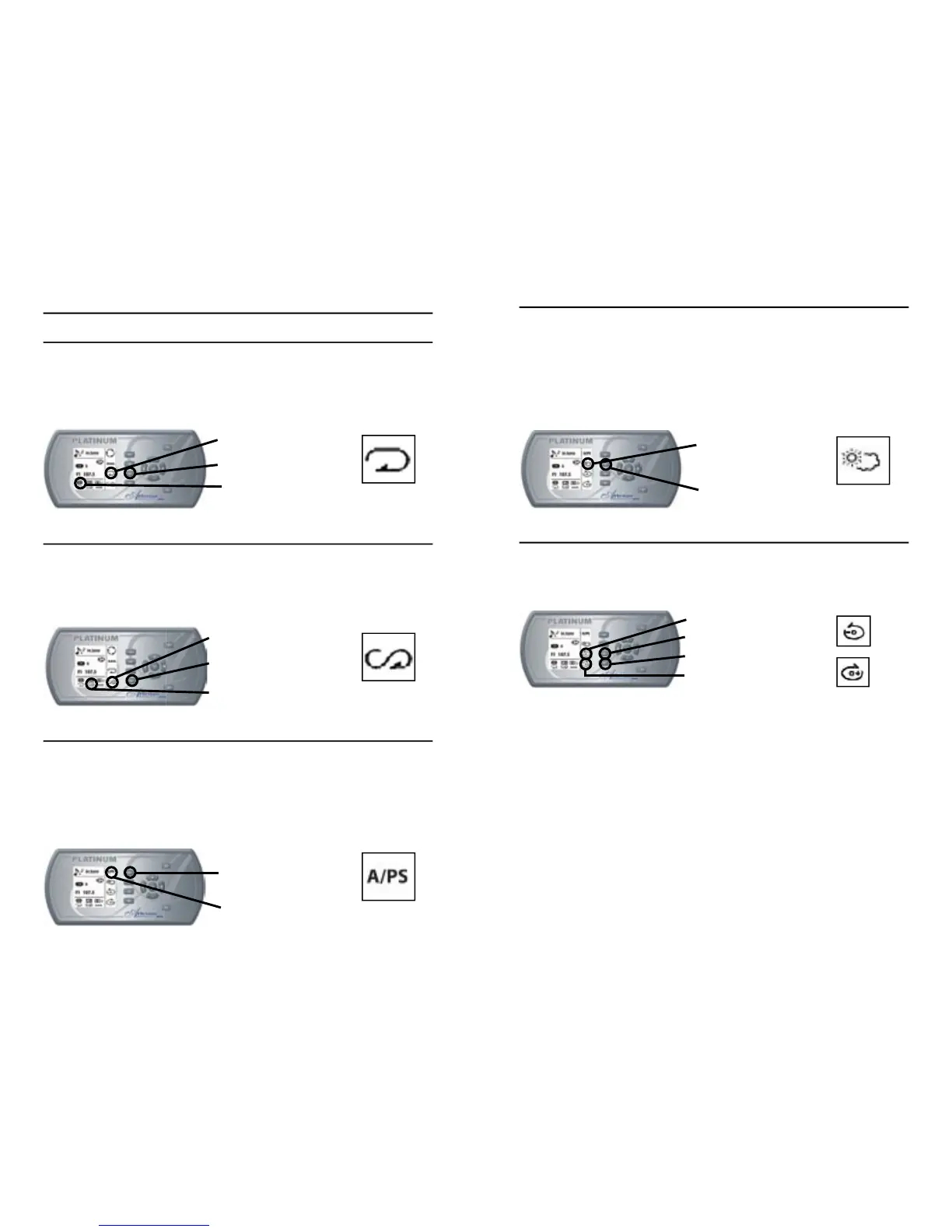
REPEAT MODE
- Press “Next Page” key to go to page 2 of Audio Key Menu (if not
already in page 2).
- Press “Repeat Mode” key to play a song repeatedly.
- Press “Repeat Mode” key again to turn off this feature.
RANDOM MODE
- Press “Next Page” key to go to page 2 of Audio Key Menu (if not
already in page 2).
- Press “Random Mode” key to play song tracks randomly.
- Press “Repeat Mode” key again to turn off this feature.
AUTO SCAN (A/PS) MODE
- Press “Auto Scan” key to scan preset stations. The tuner will scan up
and wait for a few seconds, then scan up again.
- Once the desired station is found, press “Auto Scan” key again to
stop Scan Mode.
- Pressing and holding “Auto Scan” key will scan and store stations
automatically in each memory (6) of the selected band
Repeat Mode On
Repeat Mode Key
Repeat Mode Icon
Random Mode Icon
Random Mode Key
Random Mode On
Auto Scan Key
Auto Scan Icon
SELECTING WEATHER BAND MODE
- Press “Next Page” key to go to page 4 of Audio Key Menu
(if not already in page 4).
- Press “Weather Band” key to access Weather band mode (or press
BAND in Tuner mode until WB is displayed). It automatically skips to
the strongest weather channel.
- Press “Weather Band” key again to turn off weather band radio and
return to previous mode.
DISC UP/DOWN
- Press “Next Page” key to go to page 2 of Audio Key Menu
(if not already in page 2).
- Press “Disc Up” or “Disk Down” key to change music tracks.
NOTE: This function will only be available with a CD changer.
WB Key
WB Icon
Disc Down Icon
Disc Up Icon
Disc Up Key
Disc Down Key







 To Next Page