38
2.3.3 Commission
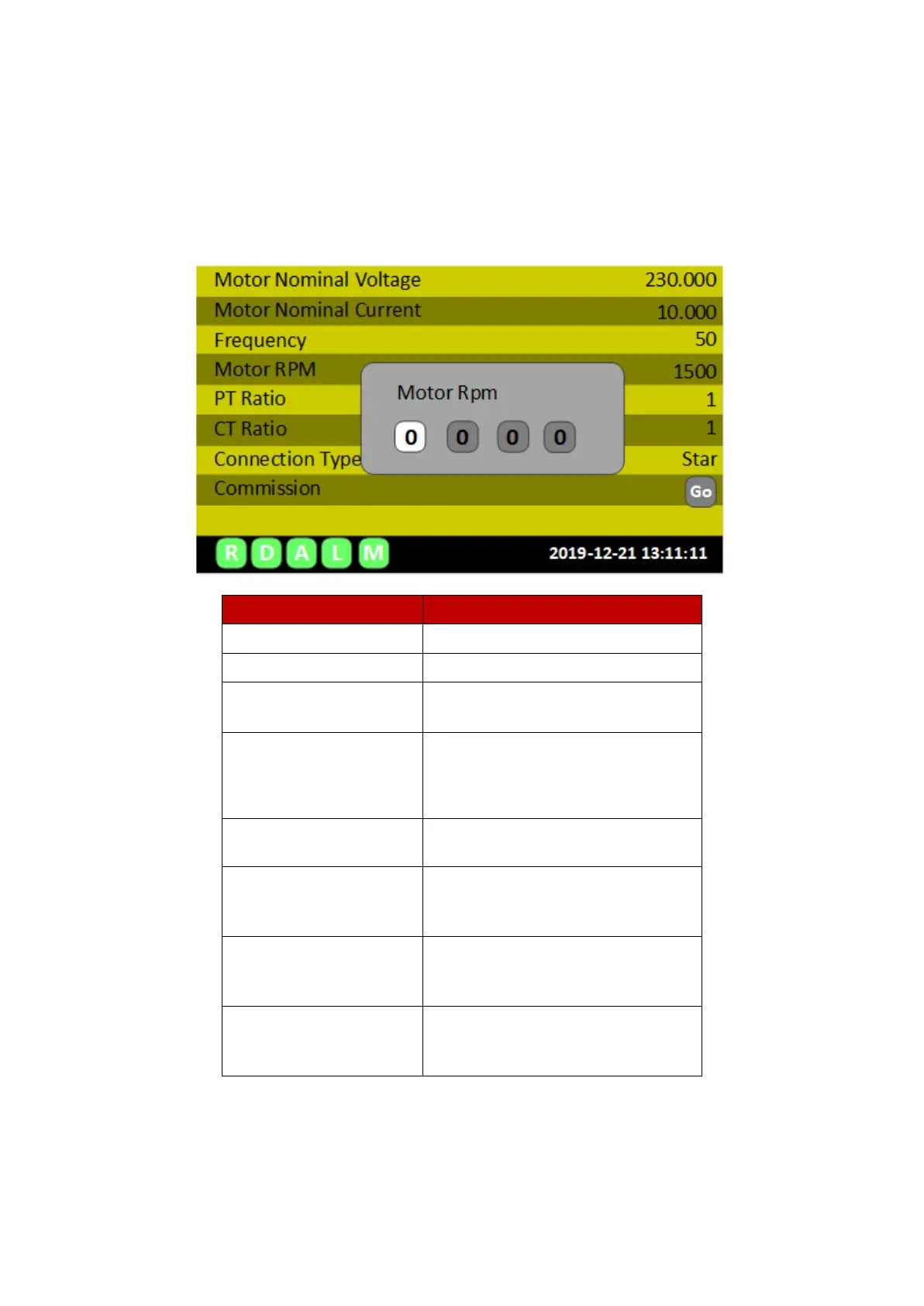
After entering the motor tag information in the Setting Data menu, return to the previous menu
by pressing ESC (MENU). Select the Commission option by using up-down arrow keys and press OK
button.
Fill with motor nominal voltage (L-N)
Fill with motor nominal current
Nominal line frequency or most
common inverter
operating frequency
Nominal angular speed of the motor
Ratio of Voltage transformer
Ratio of Current transformer
Starting check and learn periods
At this stage, the eMCM device enters the CHECK mode and looks at the compatibility between
the entered values and the measured values. In the absence of any alarms, errors and warnings, it
switches to operation in the LEARN mode.


 To Next Page