28
2. First Use
MCM performs motor status monitoring and diagnosis based on the technology developed by
NASA with minimal user intervention. In order to do this, it uses separate processor for diagnostic
purpose and perform motor status monitoring and diagnosis without affecting protection
performance.
Before conducting status monitoring, eMCM should learn the motor under normal operating
conditions to make model of the motor. eMCM compares characteristics of the model with that of
operating motor to get differences between them so that it can diagnose motor status by
analyzing the difference.
User should setup calibration and commissioning before conducting status monitoring. Before
MCM can be used for the first time it is necessary to change various settings from their default
values (a table outlining the MCM settings is shown in the appendix). Values relevant to the
connected motor must be set for the quantities described in the following sections.
2.1 Calibration
eMCM is manufactured
with
correct
calibration
factor.
It
is
important that
the
c
o
rre
c
t
factor be
entered
for each channel, as eMCM
will not
function
correctly
if
t
h
e calibration factors are incorrect. Before
changing
this
v
a
l
u
e
,
p
l
ea
s
e
contact
t
h
e
Artesis
.
2.2 Commissioning with MCM API Tool
In order
to
perform
motor
status
monitoring,
eMCM should
learn
the motor to make
model
of
the
motor
and improve
the model.
Commissioning
starts
this procedure. User
should enter
v
o
l
ta
g
e
,
voltage
frequency, RPM,
CT/PT
ratio.
2.2.1 MCM API Monitoring Tool
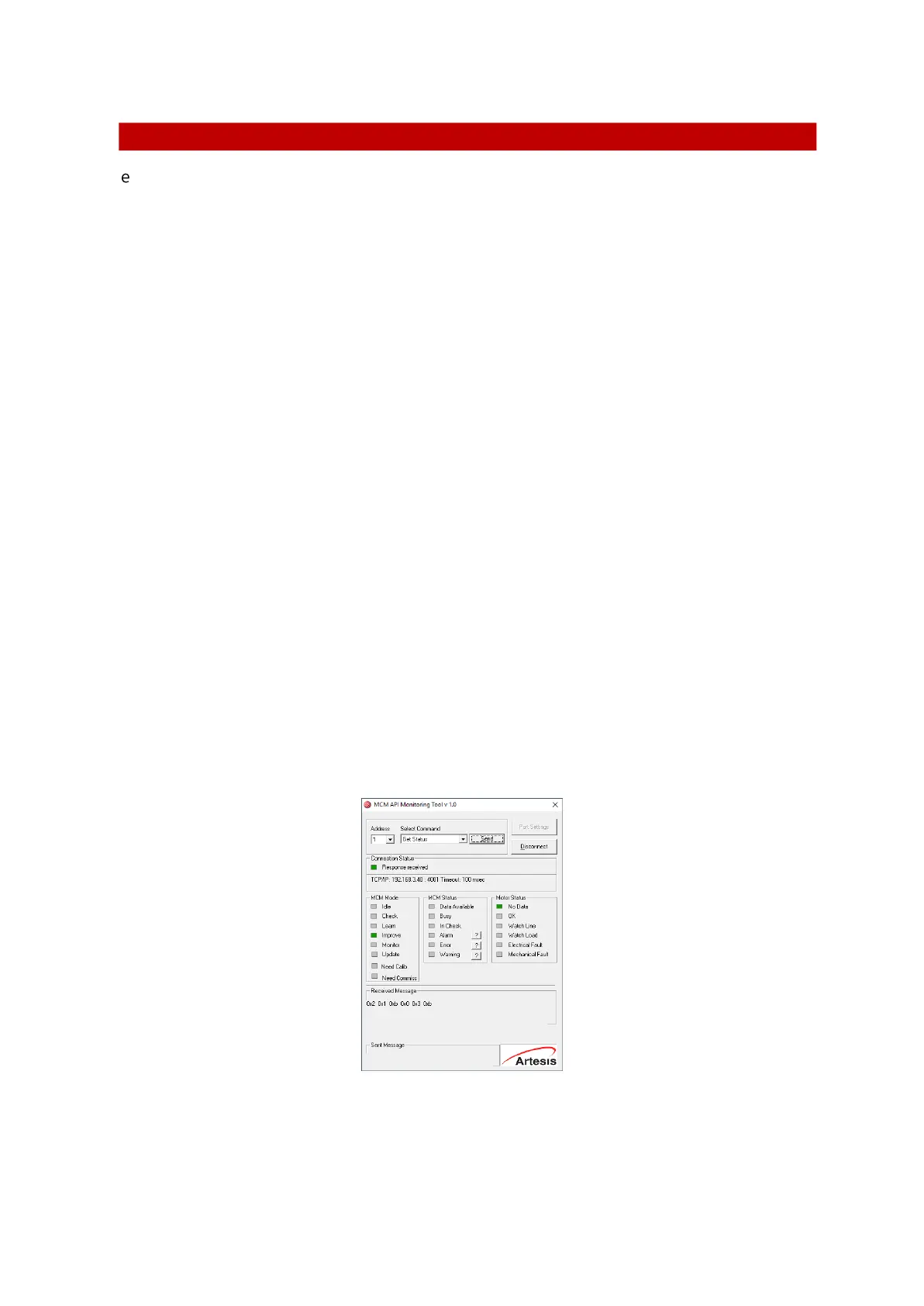
This tool can connect eMCM with ethernet or serial communication. The MCM Config software is
a simple test utility provided by Artesis for examination of waveforms, and can connect to a single
eMCM unit using the RS485 serial or TCP/IP connection of the instrument.
When connecting to an eMCM unit, the following steps should be observed:
Select the pc communications settings by pressing the Port Settings button at the top of the view.
There are two types of connection options which are available. It is serial and TCP/IP connections.


 To Next Page