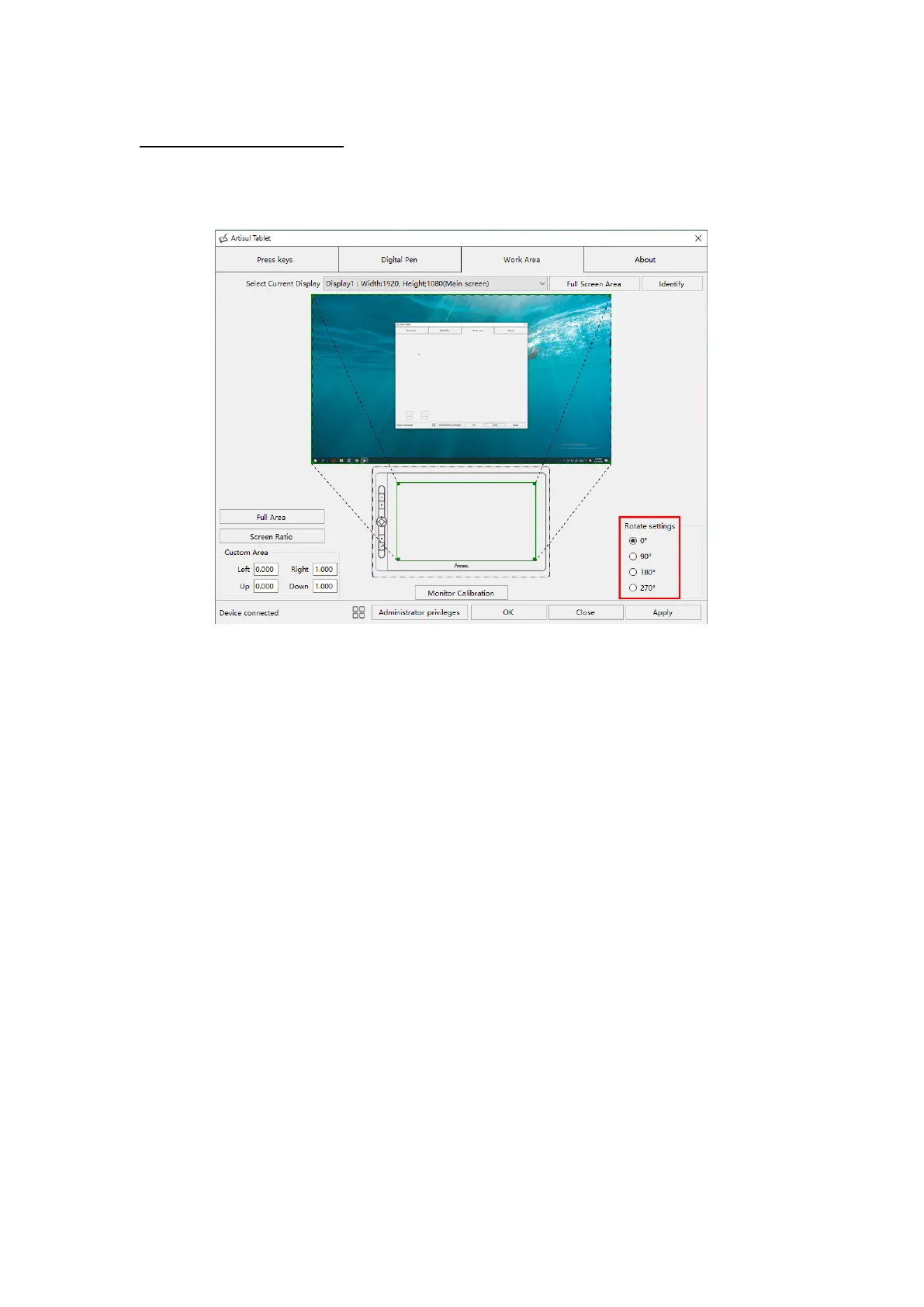
3.2.3 Rotate Working Area
By changing the direction of the display to adapt to the left and right hand
operation. We provide four directions of choice.
3.3 Press Keys Function Setting
Default Setting: Place the cursor on the button or click the button icon to see the
default values for the press keys
Customizable Press Keys: Select the function to be achieved on the pop-up dialog
box, then click APPLY or OK to take effect.
Enable/Disable Press Key: Check/Uncheck “Enable Press key”


 To Next Page