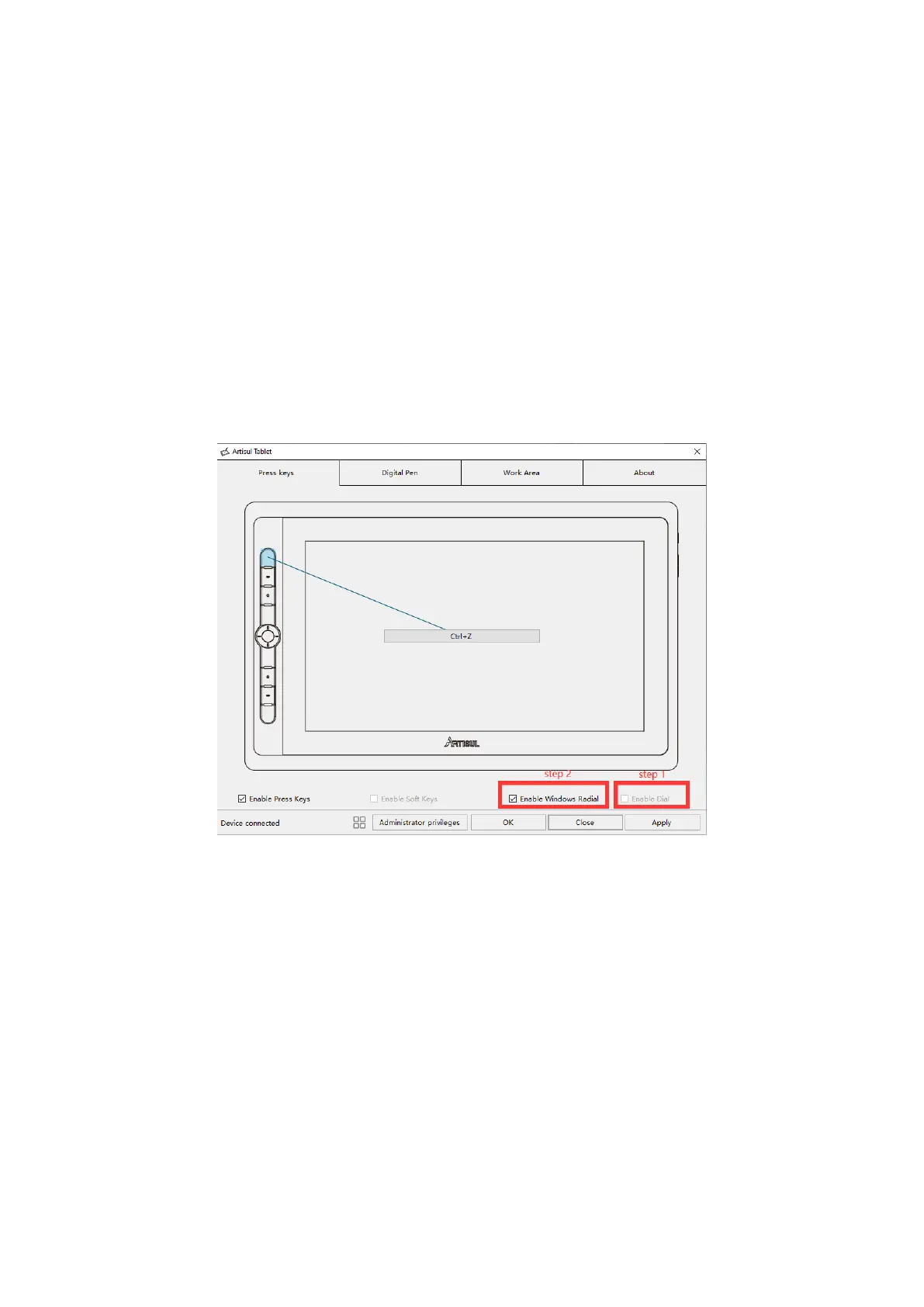
Windows Radial
Dial Controller offers users creative shortcuts and is compatible with Windows
Radial Controller Protocol. While Windows Radial features will be activated once
you select “Enable Windows Radial” via the driver.
Long press the key on the centre of the Dial Controller to call up a tool menu, users
can use Dial Controller to adjust the brush size, pick the color and scroll through
the pages, etc.s
Please Note:
If you want to“Enable Windows Radial", please uncheck “Enable Dial” first
before checking the“Enable Windows Radial" option.
3.5 Pen Button Setting
Select the function to be achieved on the pop-up dialog box, then click APPLY or
OK to take effect.


 To Next Page