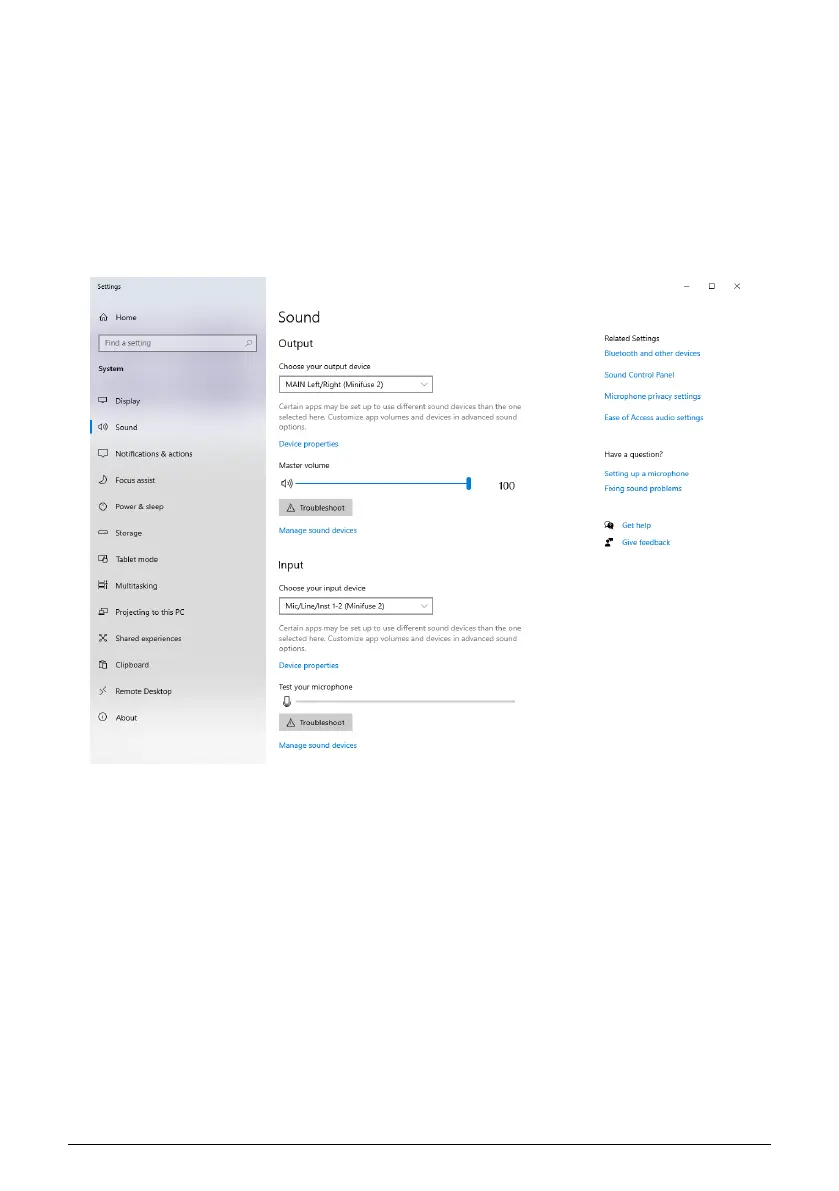
5.1.2. Windows
1. Navigate to Settings.
2. Click the Sound tab.
3. If you would like all computer audio - such as audio from browsers and movie
players - to be played back through the MiniFuse 2, choose "MAIN Left/Right
(MiniFuse 2) from the Output menu.
4. If you would like to use a microphone connected to the MiniFuse 2 as the default
sound input into your computer, choose the input channel from the Input menu.
10 Arturia - User Manual MiniFuse 2 - SETUP


 To Next Page