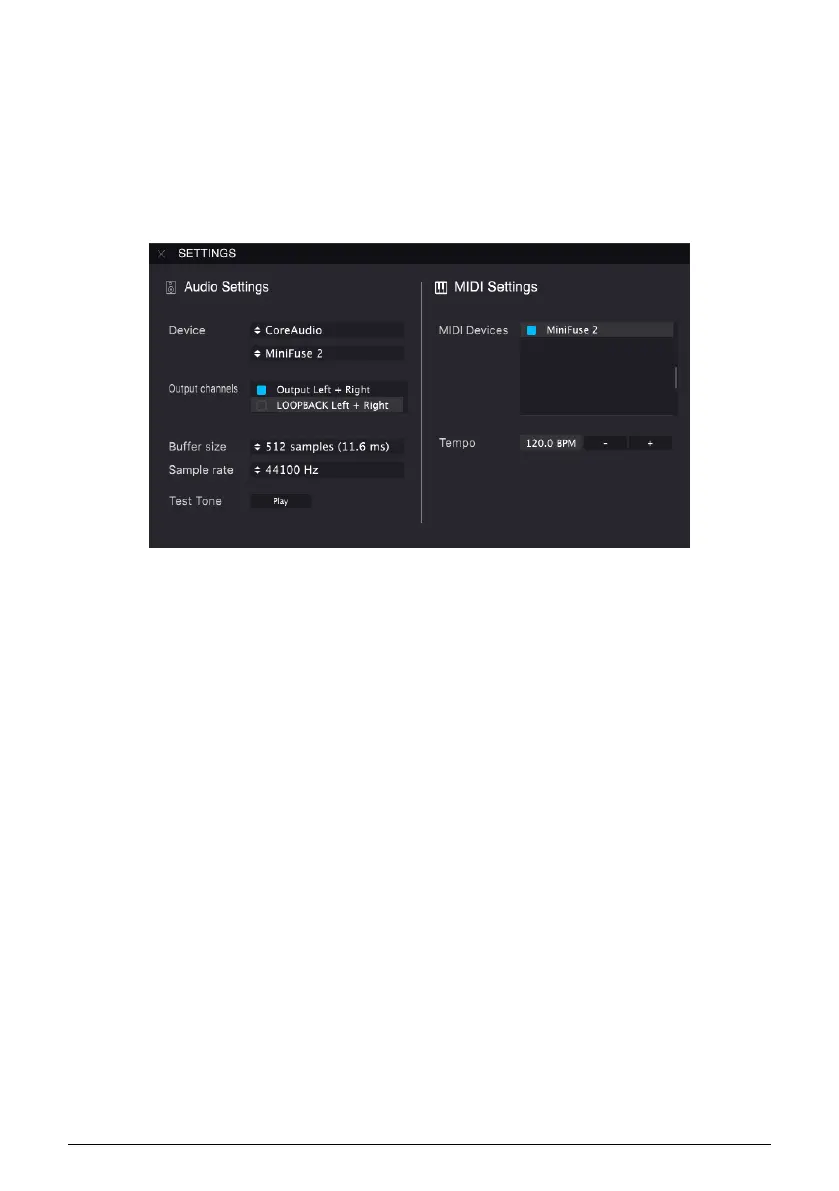
5.4.3. Configuring MIDI in Analog Lab
When using our Analog Lab software in standalone mode, you will need to enable the MIDI
ports you want to use:
In Analog Lab, click the Menu button at the top left (three horizontal lines), then click Audio
MIDI Settings.
In the MIDI Devices menu, enable MiniFuse 2. You should now receive MIDI signal in Analog
Lab.
18 Arturia - User Manual MiniFuse 2 - SETUP


 To Next Page