5.2.1. Configuring audio in Ableton Live
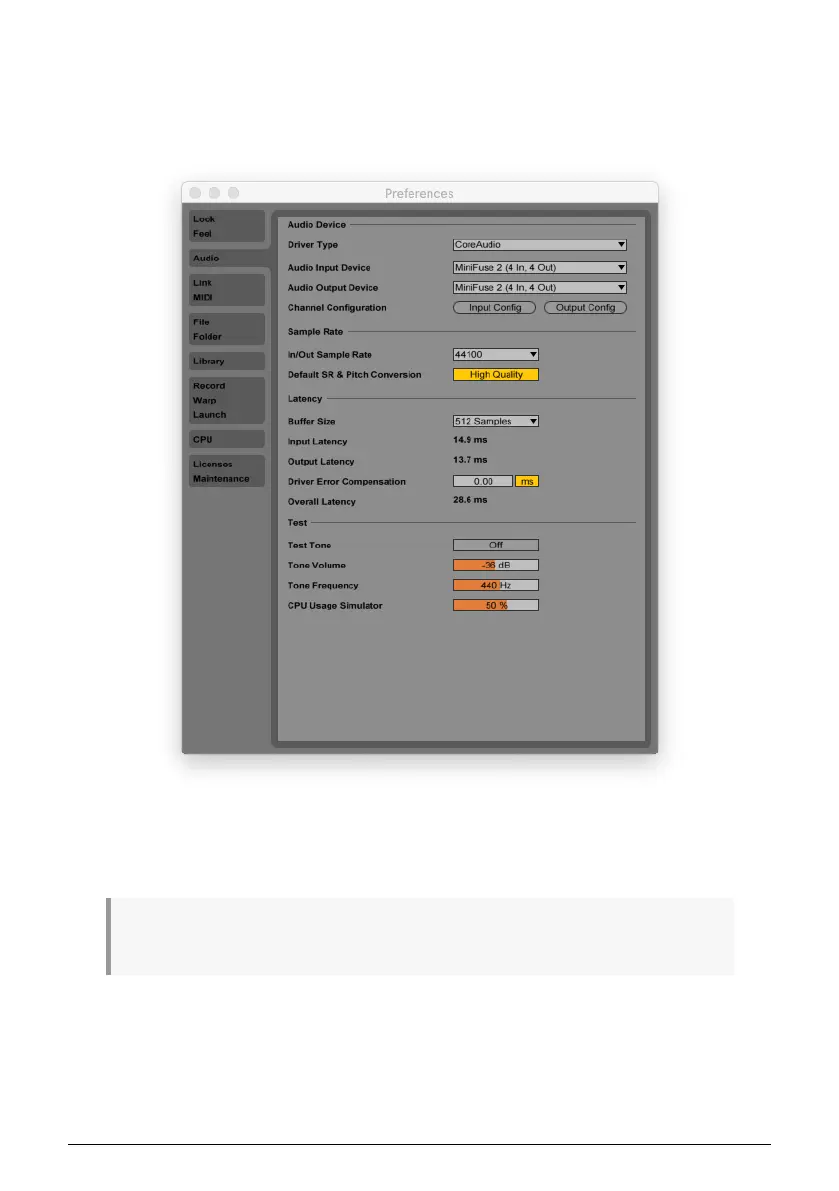
In Ableton Live, go to the Live menu and click Preferences.
In the Preferences window, click the Audio tab to access the audio device settings.
Select CoreAudio (MacOS) or ASIO (Windows) in the Driver Type menu.
Select the MiniFuse 2 in the Audio Input Device and Audio Output Device menus.
If you need to enable or disable specific input or output channels, you can click the Input Config or
Output Config buttons.
12 Arturia - User Manual MiniFuse 2 - SETUP


 To Next Page