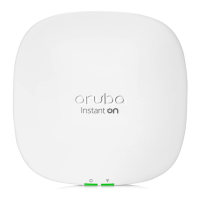
Aruba 501 802.11ac Wireless Client Bridge Quick Start Guide 2 Important information to read before installing
Package contents
The Aruba 501 Wireless Client Bridge, mounting bracket, two spring clips, three
dual-band omnidirectional antennas, two mounting screws with wall anchors,
one cable tie, and documentation.
Ports
• Ethernet port: Auto-sensing 1000 BaseT Ethernet port with RJ-45
connector. The port supports IEEE 802.3af Power over Ethernet (PoE).
• Console port: A standard serial port with a DB-9 (female) connector. To
connect to a computer, use a standard (straight-through) serial cable
(male-to-female). For details, see the serial port description in the
Aruba
501
802.11ac Wireless Client Bridge Configuration and Administration
Guide
.
Radio and antennas
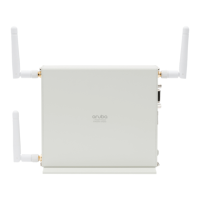
The Aruba 501 provides a single dual-band radio with three antennas
supporting 3x3 MIMO three-spatial-stream 802.11ac. The antenna connectors
are reverse-polarity SMA jacks. Antennas or cable connectors must use RP-
SMA plugs. The supplied antennas are to be mounted directly on the Aruba 501.
Also see Aruba 501 antennas on page 7.
The Aruba 501 supports 802.11b/g/n operation modes at 2.4 GHz or 802.11a/n/
ac operation modes at 5 GHz. The Aruba 501 does not support concurrent
operation at 2.4 GHz and 5 GHz.
Reset button
The Reset button is accessible through a hole on the front panel of the
Aruba 501, labeled as 8 on page 1. To reset the Aruba 501, insert a paper clip
into the Reset button hole, and press and quickly release the button. To reset the
Aruba 501 to factory defaults, press and hold the button until the status LEDs
flash three times, then release.
Status LEDs
Powering the Aruba 501
The Aruba 501 can be powered by:
• A 10/100 or 10/100/1000 PoE-enabled switch. Various PoE-enabled
switches are available from HPE Aruba.
• J9405B Aruba 501 Client Bridge 5V Power Supply
• JW627A Aruba PD-3501G-AC 1p GE 802.3af Midspan
Caution:
If the Aruba 501 is powered by a user-supplied PoE power
injector, the injector must be 10/100/1000 (Gig-E) compatible.
Important information to read before installing
Warning:
Professional installation required. For indoor installation only.
Before installing or using the Aruba 501, consult with a professional installer
trained in RF installation and knowledgeable in local regulations including
building and wiring codes, safety, channel, power, indoor/outdoor
restrictions, and license requirements for the intended country. The end user
is responsible for ensuring that installation and use comply with local safety
and radio regulations.
Surge protection and grounding: When connecting antennas installed outdoors
to the Aruba 501, make sure that proper lightning surge protection and
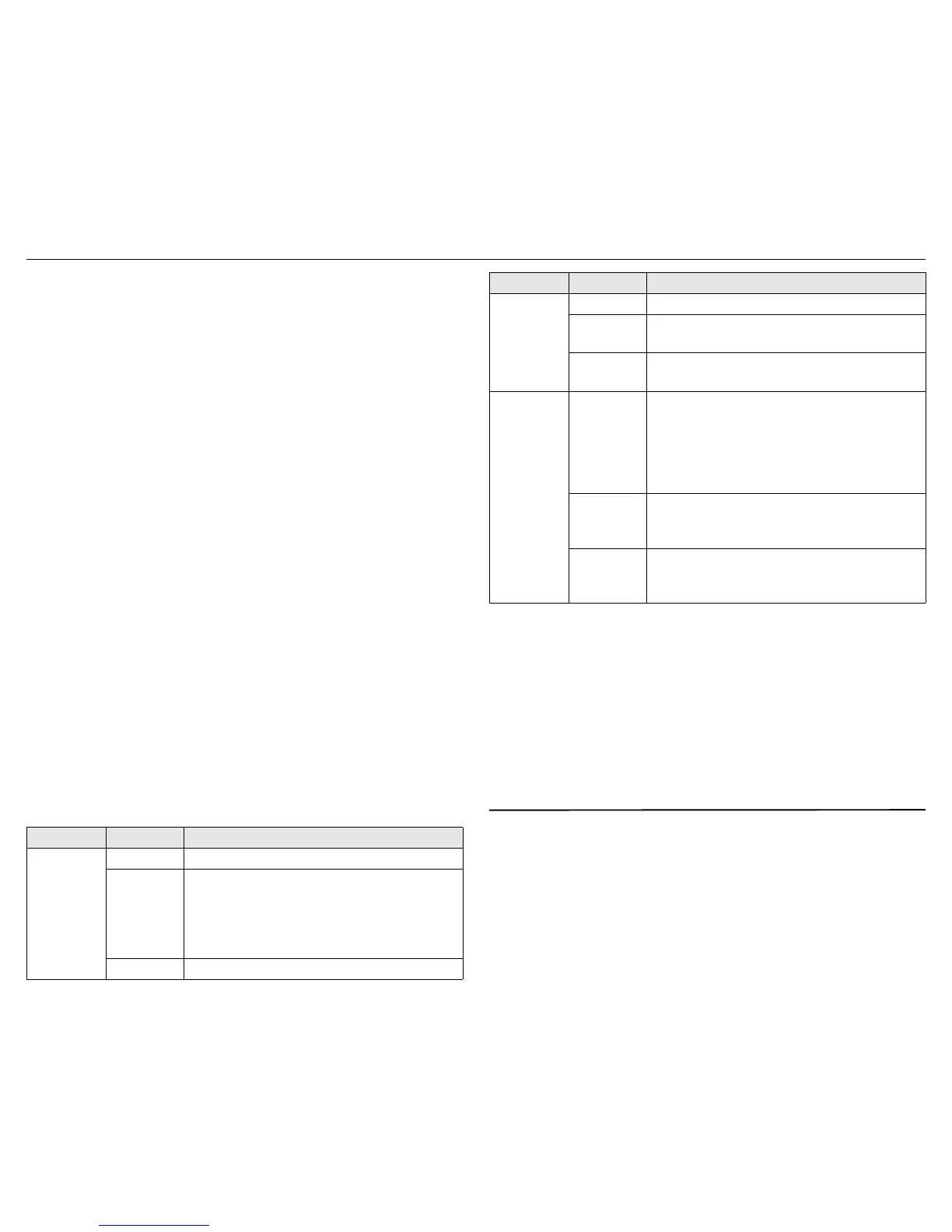
LED State Description
Power
Off The Aruba 501 has no power.
Amber
The Aruba 501 is starting up. If the Power LED
continues to flash after several minutes, the
software failed to load. Reset or power cycle the
Aruba 501. If this condition persists, contact HPE
Aruba customer support.
Green The Aruba 501 is fully operational.
Ethernet
Off The port is not connected or there is no activity.
Amber
Flashing indicates network activity on a valid 10/
100 Mbps link.
Green
Flashing indicates network activity on a valid
1000 Mbps link.
Radio
Off
Indicates one of the following conditions:
• The radio is disabled.
• The work group bridge mode is disabled.
• The radio is enabled, but there is no network
activity.
Amber
Flashing at a fast rate indicates wireless network
activity in 2.4 GHz mode. Flashing slowly
indicates the Aruba 501 is searching for an AP.
Green
Flashing at a fast rate indicates wireless network
activity in 5 GHz mode. Flashing slowly indicates
the Aruba 501 is searching for an AP.
LED State Description


 To Next Page