Aruba 501 802.11ac Wireless Client Bridge Quick Start Guide 3 Installation
grounding precautions are taken according to local electrical code. Failure to do
so can result in personal injury, fire, equipment damage, or a voided warranty.
The HPE Aruba hardware warranty provides no protection against damage
caused by static discharge or a lightning strike.
Cabling: You must use supported Cat 5e (or better) cables, and where
applicable, surge protection, for your given region.
Plenum installation: The Aruba 501 can be installed in a plenum. Plenum
installation requires a remote PoE source located outside of the plenum. The
Aruba 501 is suitable for use in environmental air space in accordance with
Section 300-22(C) of the National Electrical Code, and Sections 2-128, 12-
010(3) and 12-100 of the Canadian Electrical Code, Part 1, CSA C22.1. It should
be installed in a similar orientation as in a ceiling installation. However, a
qualified installer can determine how to install/secure the Aruba 501 in a
plenum in an appropriate and safe manner. Plenum-rated cables and attachment
hardware must be used.
Country of use: During setup, you are prompted to select the country of use.
After the country has been set, the Aruba 501 automatically limits the available
wireless channels, ensuring compliant operation in the selected country.
Entering the incorrect country can result in illegal operation and can cause
harmful interference to other systems.
Safety: Consider the following safety information during installation.
• If your network covers an area served by more than one power distribution
system, make sure all safety grounds are securely interconnected.
• Network cables can occasionally be subject to hazardous transient voltages
(caused by lightning or disturbances in the electrical power grid).
• Handle exposed metal components of the network with caution.
• The Aruba 501 is powered on when connected to a PoE power source.
• The Aruba 501 and all interconnected equipment must be installed indoors
within the same building (except for outdoor antennas), including all PoE-
powered network connections, as described by Environment A of the IEEE
802.3af standard. See also Other regulatory information on page 7.
Installation
The Aruba 501 can be mounted on a desktop, wall, or a ceiling. The mounting
bracket is mounted first, and then the Aruba 501 is attached to the bracket.
When mounting the Aruba 501 on a wall or ceiling, ensure that the surface to
which you attach the Aruba 501 and the fasteners you use can support at least
0.9 kg (2 lbs). Allow extra weight for cables. When mounting on a wall or
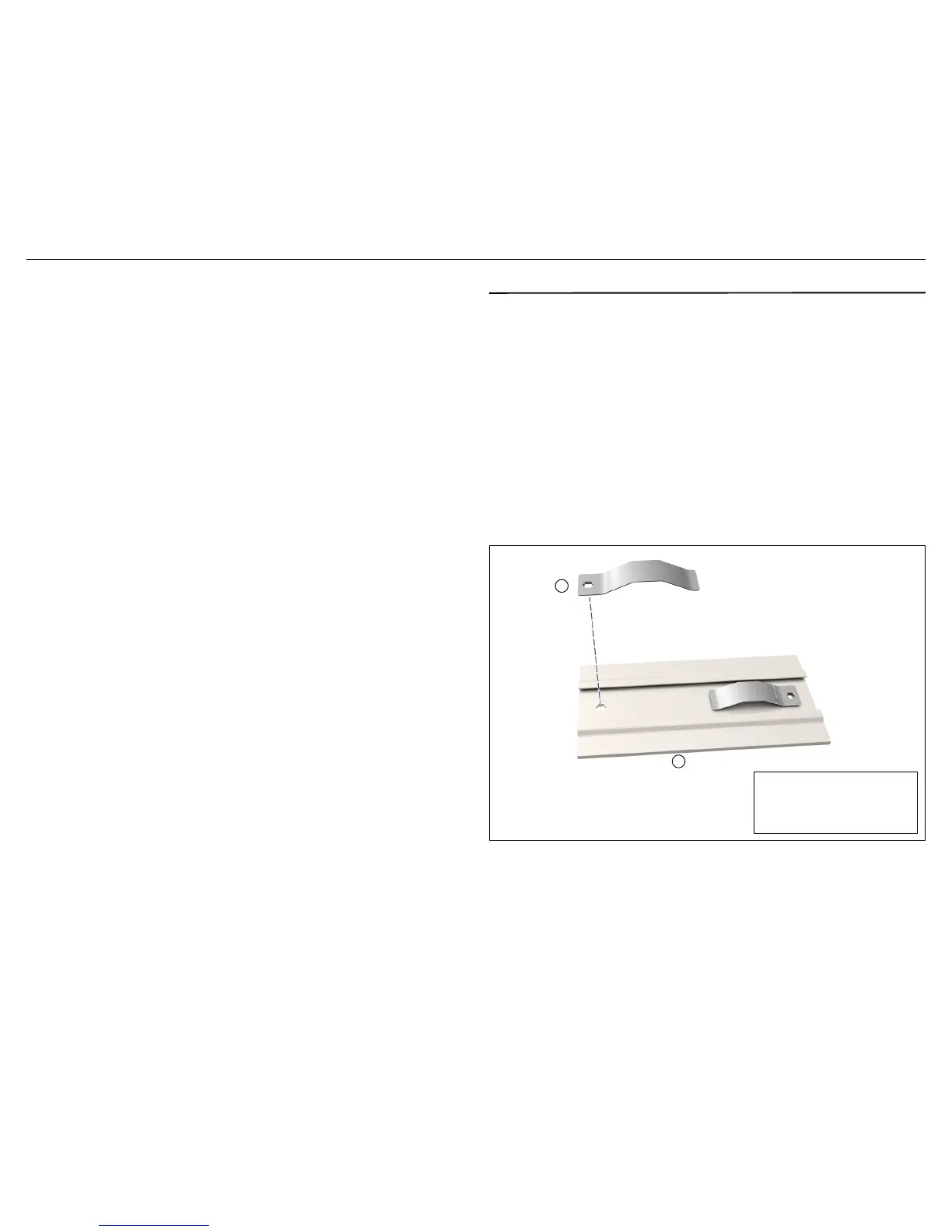
ceiling, HPE Aruba highly recommends that you use the included spring clips
with the mounting bracket as shown to ensure a secure fit.
If installing in a plenum, see Plenum installation on page 3.
Warning:
Areas above false ceilings can contain dangerous electrical
cabling, gas pipes, and other hazards. Make whatever safety arrangements
are needed to ensure that you can work safely above the false ceiling. HPE
Aruba recommends that you use a non-conductive step ladder such as one
made of fiberglass.


 To Next Page