16 AP-270 Series Outdoor Access Point | Installation Guide
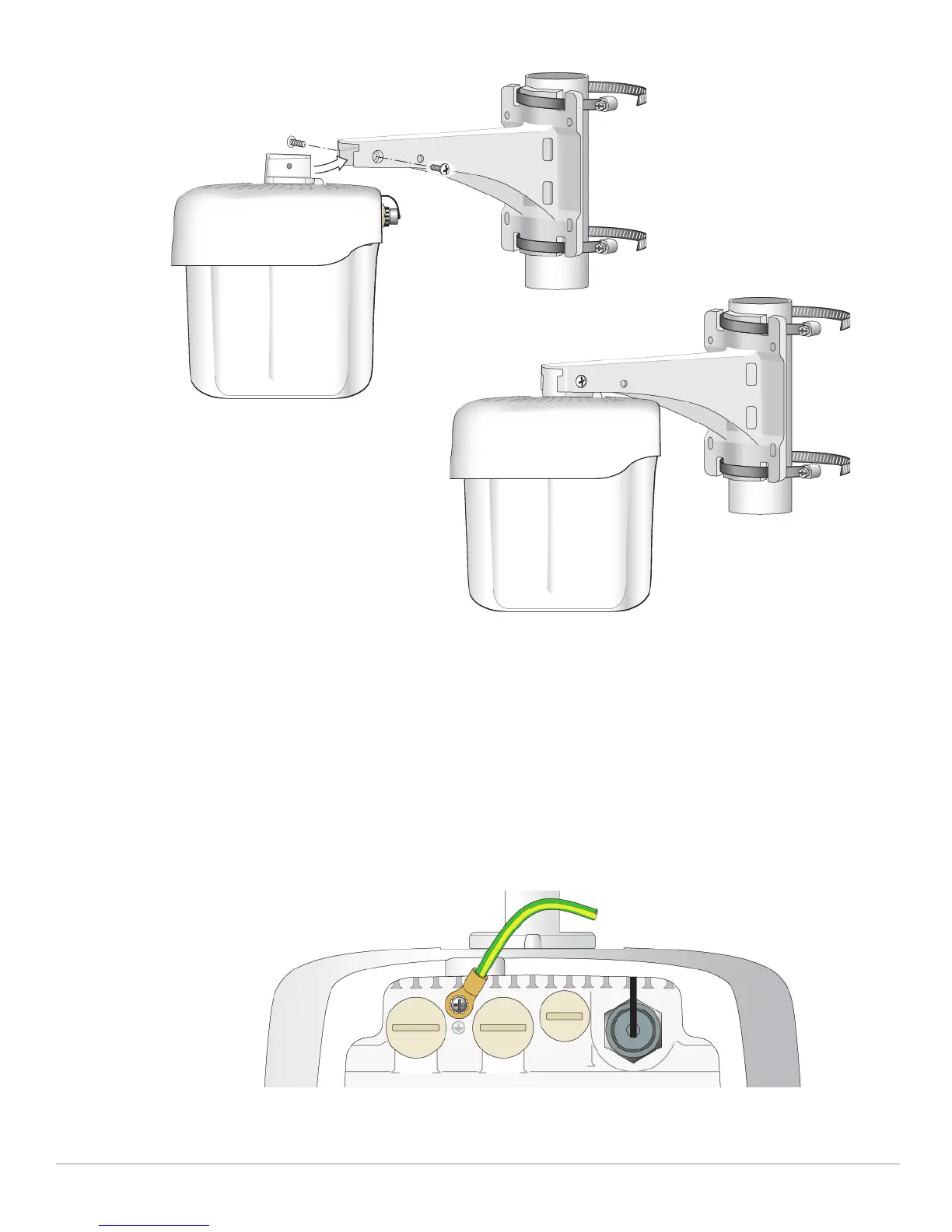
Figure 21 Attaching the AP to the Mounting Bracket (AP-270-MNT-V2)
3. Use the cable tie to fasten the cables on the bracket.
4. On the AP-274, install the external antennas according to the manufacturer’s instructions, and connect
the antennas to the antenna interfaces on the AP.
Grounding the AP
The grounding must be completed before powering up the AP. The grounding wire should be #8 AWG.
1. Peel the cover of one end of the grounding wire and place the bare grounding wire into the included
copper lug, and press firmly with the crimping pliers.
2. Fasten the copper lug to the grounding hole on the AP with the included M4 x6 screw as shown in Figure
22.
Figure 22 Grounding the AP


 To Next Page